The Gadget Nerds / Give the signal a better route

Wi-Fi extenders for the room at the edge.

A range extender needs a usable signal from your router before it can help another room. These three plug-in options differ in Wi-Fi generation and connection features. Placement usually matters more than the largest number on the box.

3 products comparedResearch checked November 3, 2026

Category illustration. Compare the real products below.

A note on links. Product links take you directly to Walmart. No affiliate tracking has been added to these links. Seller, price, delivery and availability can change. This guide is based on research, not hands-on testing.

01 / The shortlist

3 options. Different reasons to choose.

Start with the job you need it to do. These selections are organised by use case rather than sorted by editorial score.

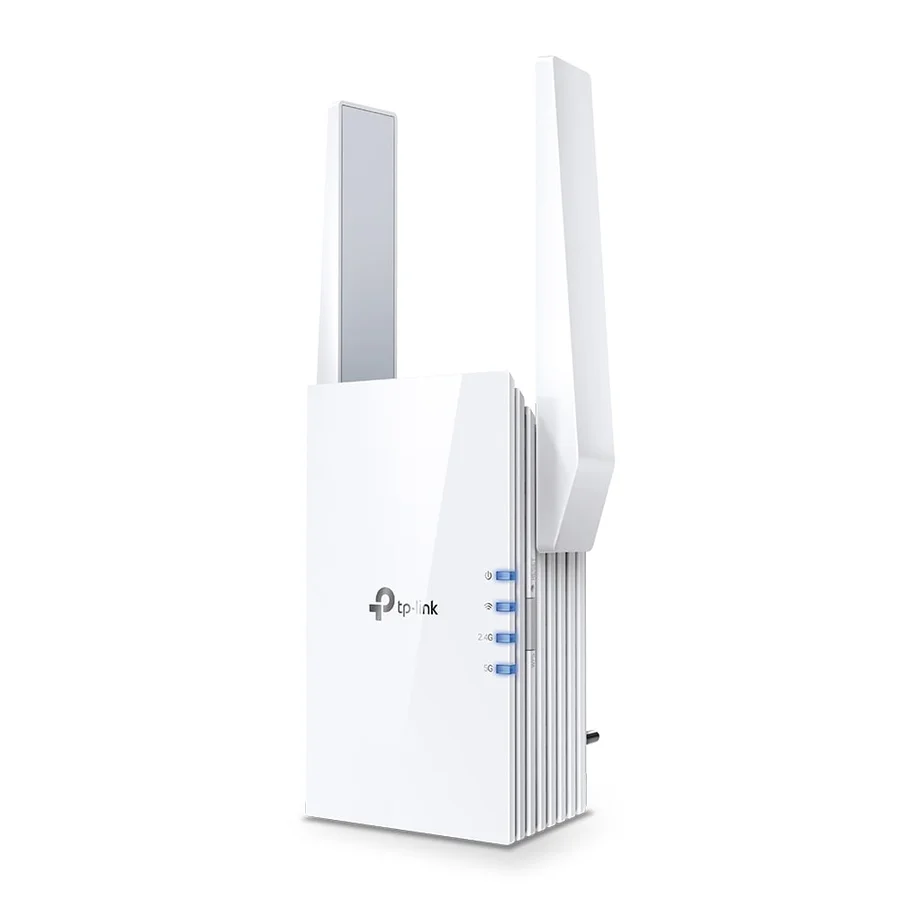
The TP-Link RE1750X offers Wi-Fi 6 and a Gigabit Ethernet port. The mapped NETGEAR AX1800 is another Wi-Fi 6 wall-plug option. The EX6110 uses older dual-band AC technology for a simpler wireless extension.

At a glance. Specifications are listing claims unless stated otherwise.
ProductEditorial scoreConsider it forKey detailsKeep in mind
TP-Link RE1750XRead the comparison8.6 /10Research-basedWi-Fi 6 with a wired connection optionWi-Fi 6 dual-band
Gigabit Ethernet port
Access-point mode

Those band rates are not a guaranteed internet download speed and do not add together for one device. EasyMesh features require a compatible configuration and firmware.

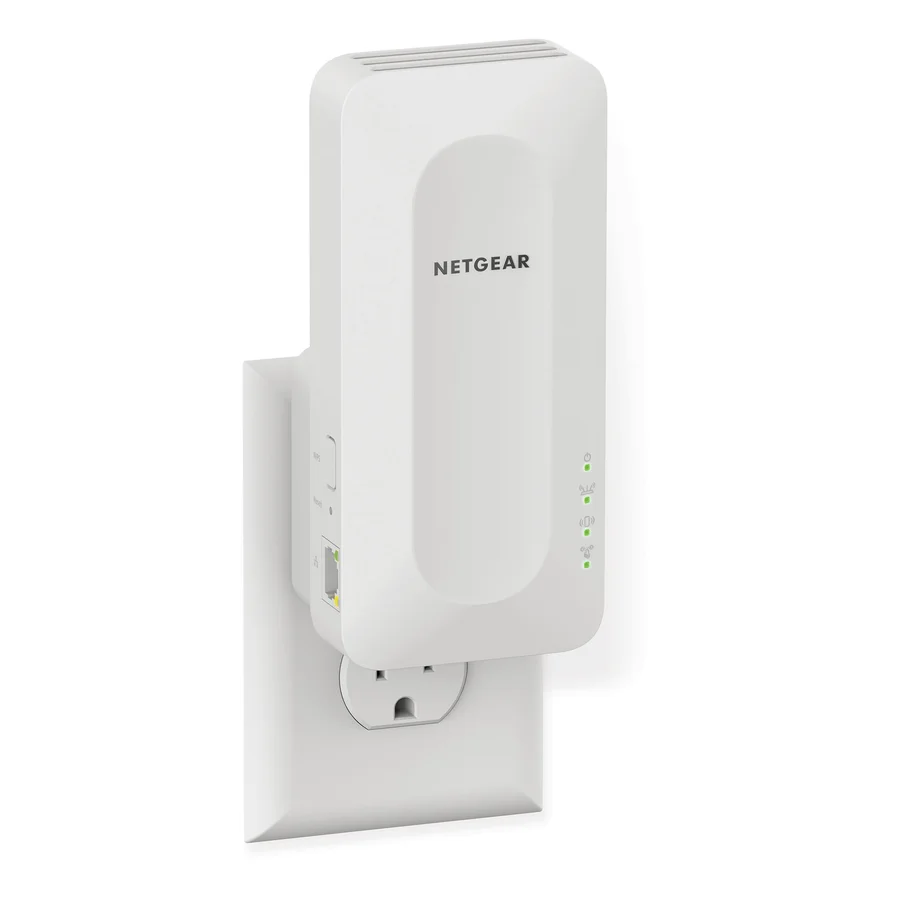
NETGEAR AX1800 wall-plug extenderRead the comparison8.3 /10Research-basedanother Wi-Fi 6 extension optionAX1800 wireless class
Wall-plug format
Nighthawk app setup advertised

The retailer title does not specify the hardware revision. Confirm the model label, firmware support and port configuration before purchase. Mesh-style naming does not establish compatibility with every branded mesh system.

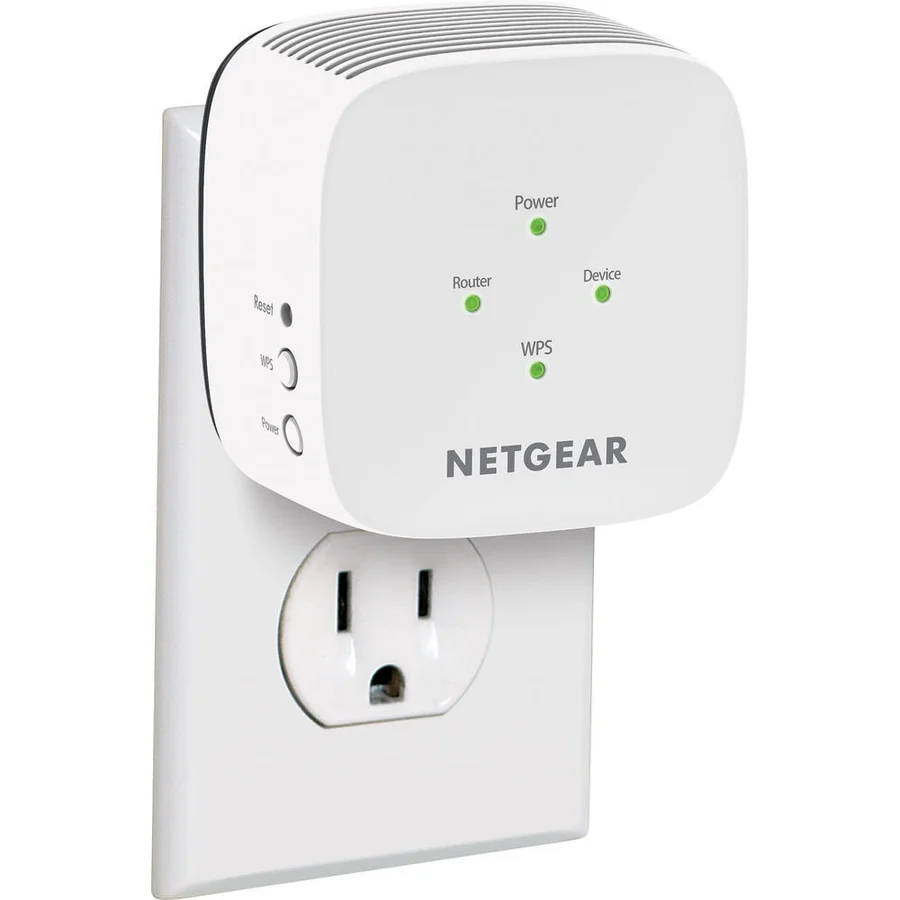
NETGEAR EX6110Read the comparisonComparison onlya compact wireless-only extensionAC1200 wireless class
2.4 and 5 GHz
Signal-location indicators

Do not choose it for a wired Ethernet endpoint or assume Wi-Fi 6 features. The AC1200 label describes combined theoretical band rates, not the throughput your room will receive.

TP-Link RE1750X

EDITORIAL SCORE 8.6 /10

For Wi-Fi 6 with a wired connection option

  • Wi-Fi 6 dual-band
  • Gigabit Ethernet port
  • Access-point mode

Those band rates are not a guaranteed internet download speed and do not add together for one device. EasyMesh features require a compatible configuration and firmware.

Read the comparison

NETGEAR AX1800 wall-plug extender

EDITORIAL SCORE 8.3 /10

For another Wi-Fi 6 extension option

  • AX1800 wireless class
  • Wall-plug format
  • Nighthawk app setup advertised

The retailer title does not specify the hardware revision. Confirm the model label, firmware support and port configuration before purchase. Mesh-style naming does not establish compatibility with every branded mesh system.

Read the comparison

NETGEAR EX6110

Comparison only · no editorial endorsement

For a compact wireless-only extension

  • AC1200 wireless class
  • 2.4 and 5 GHz
  • Signal-location indicators

Do not choose it for a wired Ethernet endpoint or assume Wi-Fi 6 features. The AC1200 label describes combined theoretical band rates, not the throughput your room will receive.

Read the comparison

02 / Find your pick

What matters to you?

Choose a use case to jump to the relevant comparison. This is a navigation aid, not a personalized test result.

White TP-Link RE1750X with two upright antennas

TP-Link RE1750X

An AX1750 dual-band extender with Gigabit Ethernet.

See this comparison ↓

03 / A closer look

The details that make a difference.

White TP-Link RE1750X with two upright antennas
EDITORIAL SCORE
8.6/10
Research-based assessment

An AX1750 dual-band extender with Gigabit Ethernet. Score reflects listed strengths and trade-offs, not hands-on tests.

01 / For Wi-Fi 6 with a wired connection option

TP-Link RE1750X

An AX1750 dual-band extender with Gigabit Ethernet.

TP-Link specifies 1201 Mbps on 5 GHz and 574 Mbps on 2.4 GHz as wireless link-rate classes. Its Ethernet port can connect a wired device or support access-point mode when used with an appropriate wired uplink.

  • Wi-Fi 6 dual-band
  • Gigabit Ethernet port
  • Access-point mode
Before you choose

Those band rates are not a guaranteed internet download speed and do not add together for one device. EasyMesh features require a compatible configuration and firmware.

Check price at Walmart

Opens the linked product page. Confirm the exact model and any current purchase terms.

How we reached this verdictStrengths, caveats and our editorial score calculation8.6 /10

Research-based editorial assessment

Review verdict

TP-Link RE1750X. An AX1750 dual-band extender with Gigabit Ethernet. TP-Link specifies 1201 Mbps on 5 GHz and 574 Mbps on 2.4 GHz as wireless link-rate classes. Its Ethernet port can connect a wired device or support access-point mode when used with an appropriate wired uplink.

What to keep in mind
  • Those band rates are not a guaranteed internet download speed and do not add together for one device.
  • EasyMesh features require a compatible configuration and firmware.

Where it fits best

For Wi-Fi 6 with a wired connection option

TP-Link specifies 1201 Mbps on 5 GHz and 574 Mbps on 2.4 GHz as wireless link-rate classes. Its Ethernet port can connect a wired device or support access-point mode when used with an appropriate wired uplink.

Before you buy

Those band rates are not a guaranteed internet download speed and do not add together for one device. EasyMesh features require a compatible configuration and firmware.

Who should buy it?

Consider this product when your priority matches for wi-fi 6 with a wired connection option and its listed features fit your setup. Compare the other options above and check the precise model, included accessories and retailer terms before ordering.

How we calculated 8.6/10

We weighted five criteria relevant to this guide. The values are editorial judgements based on the product descriptions, documented specifications and limitations. They are not independent performance measurements, laboratory test scores or customer ratings.

Wireless & wired features8.9 × 30%
Network-use suitability8.8 × 25%
Setup convenience8.6 × 20%
Throughput & compatibility caveats7.8 × 15%
Model confidence8.5 × 10%

Weighted editorial score: 8.6 / 10Listing research checked 3 November 2026

White NETGEAR AX1800 wall-plug extender
EDITORIAL SCORE
8.3/10
Research-based assessment

The mapped dual-band wall-plug unit supports a shared network name. Score reflects listed strengths and trade-offs, not hands-on tests.

02 / For another Wi-Fi 6 extension option

NETGEAR AX1800 wall-plug extender

The mapped dual-band wall-plug unit supports a shared network name.

NETGEAR advertises Smart Roaming and Nighthawk app setup on this listing. It is worth considering when you want a Wi-Fi 6 extender and will check how it works with your existing router and client devices.

  • AX1800 wireless class
  • Wall-plug format
  • Nighthawk app setup advertised
Before you choose

The retailer title does not specify the hardware revision. Confirm the model label, firmware support and port configuration before purchase. Mesh-style naming does not establish compatibility with every branded mesh system.

Check price at Walmart

Opens the linked product page. Confirm the exact model and any current purchase terms.

How we reached this verdictStrengths, caveats and our editorial score calculation8.3 /10

Research-based editorial assessment

Review verdict

NETGEAR AX1800 wall-plug extender. The mapped dual-band wall-plug unit supports a shared network name. NETGEAR advertises Smart Roaming and Nighthawk app setup on this listing. It is worth considering when you want a Wi-Fi 6 extender and will check how it works with your existing router and client devices.

What to keep in mind
  • The retailer title does not specify the hardware revision.
  • Confirm the model label, firmware support and port configuration before purchase.
  • Mesh-style naming does not establish compatibility with every branded mesh system.

Where it fits best

For another Wi-Fi 6 extension option

NETGEAR advertises Smart Roaming and Nighthawk app setup on this listing. It is worth considering when you want a Wi-Fi 6 extender and will check how it works with your existing router and client devices.

Before you buy

The retailer title does not specify the hardware revision. Confirm the model label, firmware support and port configuration before purchase. Mesh-style naming does not establish compatibility with every branded mesh system.

Who should buy it?

Consider this product when your priority matches for another wi-fi 6 extension option and its listed features fit your setup. Compare the other options above and check the precise model, included accessories and retailer terms before ordering.

How we calculated 8.3/10

We weighted five criteria relevant to this guide. The values are editorial judgements based on the product descriptions, documented specifications and limitations. They are not independent performance measurements, laboratory test scores or customer ratings.

Wireless & wired features8.7 × 30%
Network-use suitability8.6 × 25%
Setup convenience8.3 × 20%
Throughput & compatibility caveats7.4 × 15%
Model confidence7.3 × 10%

Weighted editorial score: 8.3 / 10Listing research checked 3 November 2026

Compact white NETGEAR EX6110 range extender

03 / For a compact wireless-only extension

NETGEAR EX6110

An AC1200 dual-band plug-in extender with location indicators.

The EX6110 supports 2.4 and 5 GHz wireless extension. Its indicators help you choose a location with a useful router signal. This is the older AC-generation option in the comparison.

  • AC1200 wireless class
  • 2.4 and 5 GHz
  • Signal-location indicators
Before you choose

Do not choose it for a wired Ethernet endpoint or assume Wi-Fi 6 features. The AC1200 label describes combined theoretical band rates, not the throughput your room will receive.

Comparison only · no endorsed purchase pick

Opens the linked product page. Confirm the exact model and any current purchase terms.

04 / Buying advice

Check the details that matter.

Place it within reach of the router

Try a socket between the router and the weak area, where the extender still receives a good signal. Putting it directly in the dead zone leaves it with little useful connection to repeat.

Consider a wired access point

If Ethernet can reach the room, an access point can avoid a wireless backhaul link. The RE1750X supports access-point mode, but check setup and cabling requirements before choosing that route.

Check the actual bottleneck

A slow internet plan, overloaded router or distant server is not repaired by extending coverage. Compare a connection near the router with the problem room to see whether coverage is the issue.

How this comparison was put together

We reviewed the exact retailer and manufacturer pages, product identities and supplied photographs on November 3, 2026. The selections compare wi-fi extenders by use case and practical tradeoffs. Specifications are attributed listing information unless a manufacturer source is identified. We have not conducted hands-on testing. Where shown, editorial scores are subjective, research-based assessments of listed features, suitability and limitations. unconfirmed performance, certification and medical claims are not treated as established results.

06 / FAQs

A few things worth knowing.

Will an AX1800 extender give me 1.8 Gbps internet?

No. AX1800 is a combined wireless speed class. Actual throughput depends on the router link, client, interference and internet service.

Where should I plug in an extender?

Use a location that still receives a strong router signal and can reach toward the weak area. Follow the model's signal indicators and setup instructions rather than placing it at the farthest possible socket.

Can the RE1750X work as an access point?

Yes. TP-Link documents its access-point mode and Gigabit port. That mode uses a wired network connection rather than repeating a wireless router link.

Will mesh roaming work with every router?

Do not assume it. Branded mesh features, standards, firmware and client behavior all matter. Confirm compatibility for the exact router and extender combination.

Is the EX6110 a Wi-Fi 6 model?

No. It is an AC1200 dual-band model. The TP-Link RE1750X and mapped NETGEAR AX1800 listing are the Wi-Fi 6 options here.

Will an extender improve a slow connection beside my router?

Not necessarily. If performance is already poor close to the router, investigate the internet service, router and connected device before buying an extender.

Make the choice fit your day.

Choose an extender only after checking signal strength and placement. For the right room it can help, but it cannot create a better upstream connection than the one it receives.

Back to the shortlist ↑