The Gadget Nerds / Start with your course requirements

College laptops for the work on your syllabus.

Your course software should decide the operating system before color or screen size does. This shortlist includes one entry-level Windows laptop and two Chromebooks. Each suits a different workload, and none should be assumed suitable for demanding specialist applications.

3 products comparedResearch checked November 3, 2026

Category illustration. Compare the real products below.

A note on links. Product links take you directly to Walmart. No affiliate tracking has been added to these links. Seller, price, delivery and availability can change. This guide is based on research, not hands-on testing.

01 / The shortlist

3 options. Different reasons to choose.

Start with the job you need it to do. These selections are organised by use case rather than sorted by editorial score.

The HP provides Windows in a small format, but its 4 GB of memory is restrictive. The Acer offers a larger Full HD touch display for ChromeOS work, while the Lenovo pairs ChromeOS with a taller screen and Core 3 processor.

At a glance. Specifications are listing claims unless stated otherwise.
ProductEditorial scoreConsider it forKey detailsKeep in mind
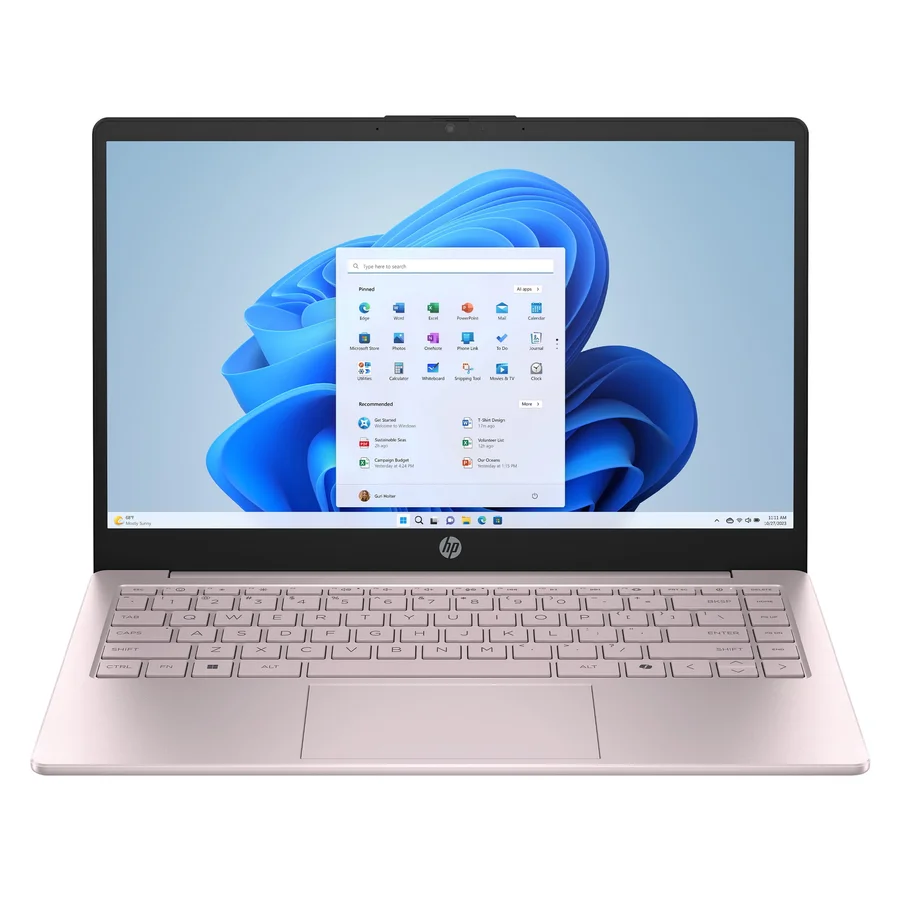
HP 14-ep2111wm, Tranquil PinkRead the comparisonComparison onlylight Windows-based courseworkIntel N150
4 GB RAM / 128 GB storage
14 in HD display

Four gigabytes of RAM leaves limited room for multitasking. Check minimum and recommended software requirements, storage type and Windows configuration. Do not choose it for CAD, heavy editing or other demanding work on processor name alone.

Acer Chromebook 315, N50 configurationRead the comparison8.1 /10Research-basedbrowser-based work on a touch displayIntel N50
8 GB RAM / 128 GB flash
15.6 in FHD touchscreen

The exact CB315 submodel is not stated in the title. Confirm it, the update end date and included accessories. A Chromebook does not run ordinary Windows desktop software just because it uses an Intel processor.

Lenovo Chromebook Plus i, Cosmic BlueRead the comparison8.6 /10Research-basedChromeOS work on a taller displayIntel Core 3
8 GB RAM / 128 GB SSD
15.3 in 1920 × 1200 display

Check the full machine type and course compatibility before buying. ChromeOS still has application limits, and this model is larger than the HP. Do not infer upgradeable RAM or a touchscreen from the Chromebook Plus name.

HP 14-ep2111wm, Tranquil Pink

Comparison only · no editorial endorsement

For light Windows-based coursework

  • Intel N150
  • 4 GB RAM / 128 GB storage
  • 14 in HD display

Four gigabytes of RAM leaves limited room for multitasking. Check minimum and recommended software requirements, storage type and Windows configuration. Do not choose it for CAD, heavy editing or other demanding work on processor name alone.

Read the comparison

Acer Chromebook 315, N50 configuration

EDITORIAL SCORE 8.1 /10

For browser-based work on a touch display

  • Intel N50
  • 8 GB RAM / 128 GB flash
  • 15.6 in FHD touchscreen

The exact CB315 submodel is not stated in the title. Confirm it, the update end date and included accessories. A Chromebook does not run ordinary Windows desktop software just because it uses an Intel processor.

Read the comparison

Lenovo Chromebook Plus i, Cosmic Blue

EDITORIAL SCORE 8.6 /10

For ChromeOS work on a taller display

  • Intel Core 3
  • 8 GB RAM / 128 GB SSD
  • 15.3 in 1920 × 1200 display

Check the full machine type and course compatibility before buying. ChromeOS still has application limits, and this model is larger than the HP. Do not infer upgradeable RAM or a touchscreen from the Chromebook Plus name.

Read the comparison

02 / Find your pick

What matters to you?

Choose a use case to jump to the relevant comparison. This is a navigation aid, not a personalized test result.

Pink HP 14-inch Windows laptop

HP 14-ep2111wm, Tranquil Pink

A 14-inch laptop with Intel N150, 4 GB RAM and 128 GB storage.

See this comparison ↓

03 / A closer look

The details that make a difference.

Pink HP 14-inch Windows laptop

01 / For light Windows-based coursework

HP 14-ep2111wm, Tranquil Pink

A 14-inch laptop with Intel N150, 4 GB RAM and 128 GB storage.

Windows may be required for a course application that does not run on ChromeOS. This HP offers that operating system in a smaller chassis for notes, documents and light browsing, subject to the requirements of the programs you need.

  • Intel N150
  • 4 GB RAM / 128 GB storage
  • 14 in HD display
Before you choose

Four gigabytes of RAM leaves limited room for multitasking. Check minimum and recommended software requirements, storage type and Windows configuration. Do not choose it for CAD, heavy editing or other demanding work on processor name alone.

Comparison only · no endorsed purchase pick

Opens the linked product page. Confirm the exact model and any current purchase terms.

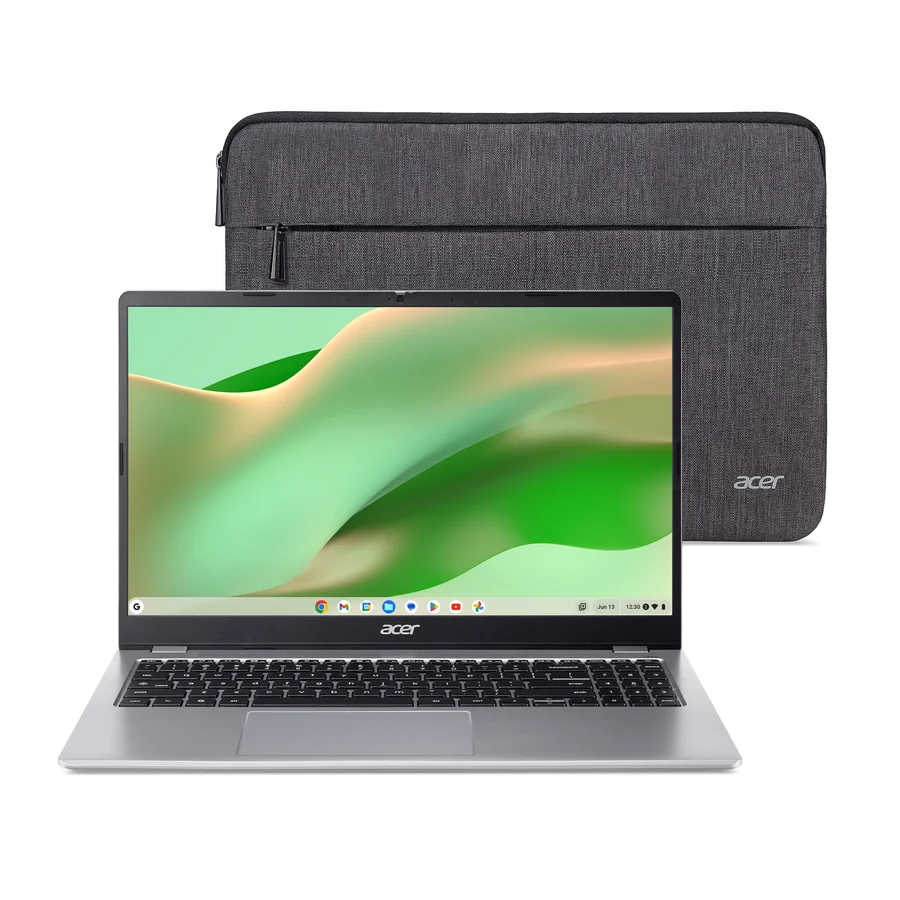
Acer Chromebook 315 with the sleeve shown in the seller image
EDITORIAL SCORE
8.1/10
Research-based assessment

The mapped seller configuration lists a 15.6-inch Full HD touchscreen. Score reflects listed strengths and trade-offs, not hands-on tests.

02 / For browser-based work on a touch display

Acer Chromebook 315, N50 configuration

The mapped seller configuration lists a 15.6-inch Full HD touchscreen.

Its 8 GB RAM and 128 GB flash storage accompany ChromeOS rather than Windows. A larger screen can help when you want to read course material beside a document, while touch adds another way to navigate.

  • Intel N50
  • 8 GB RAM / 128 GB flash
  • 15.6 in FHD touchscreen
Before you choose

The exact CB315 submodel is not stated in the title. Confirm it, the update end date and included accessories. A Chromebook does not run ordinary Windows desktop software just because it uses an Intel processor.

Check price at Walmart

Opens the linked product page. Confirm the exact model and any current purchase terms.

How we reached this verdictStrengths, caveats and our editorial score calculation8.1 /10

Research-based editorial assessment

Review verdict

Acer Chromebook 315, N50 configuration. The mapped seller configuration lists a 15.6-inch Full HD touchscreen. Its 8 GB RAM and 128 GB flash storage accompany ChromeOS rather than Windows. A larger screen can help when you want to read course material beside a document, while touch adds another way to navigate.

What to keep in mind
  • The exact CB315 submodel is not stated in the title.
  • Confirm it, the update end date and included accessories.
  • A Chromebook does not run ordinary Windows desktop software just because it uses an Intel processor.

Where it fits best

For browser-based work on a touch display

Its 8 GB RAM and 128 GB flash storage accompany ChromeOS rather than Windows. A larger screen can help when you want to read course material beside a document, while touch adds another way to navigate.

Before you buy

The exact CB315 submodel is not stated in the title. Confirm it, the update end date and included accessories. A Chromebook does not run ordinary Windows desktop software just because it uses an Intel processor.

Who should buy it?

Consider this product when your priority matches for browser-based work on a touch display and its listed features fit your setup. Compare the other options above and check the precise model, included accessories and retailer terms before ordering.

How we calculated 8.1/10

We weighted five criteria relevant to this guide. The values are editorial judgements based on the product descriptions, documented specifications and limitations. They are not independent performance measurements, laboratory test scores or customer ratings.

Listed hardware & display8.3 × 30%
Coursework suitability8.6 × 25%
Portability & usability8.2 × 20%
Software & RAM limitations7.2 × 15%
SKU clarity7.8 × 10%

Weighted editorial score: 8.1 / 10Listing research checked 3 November 2026

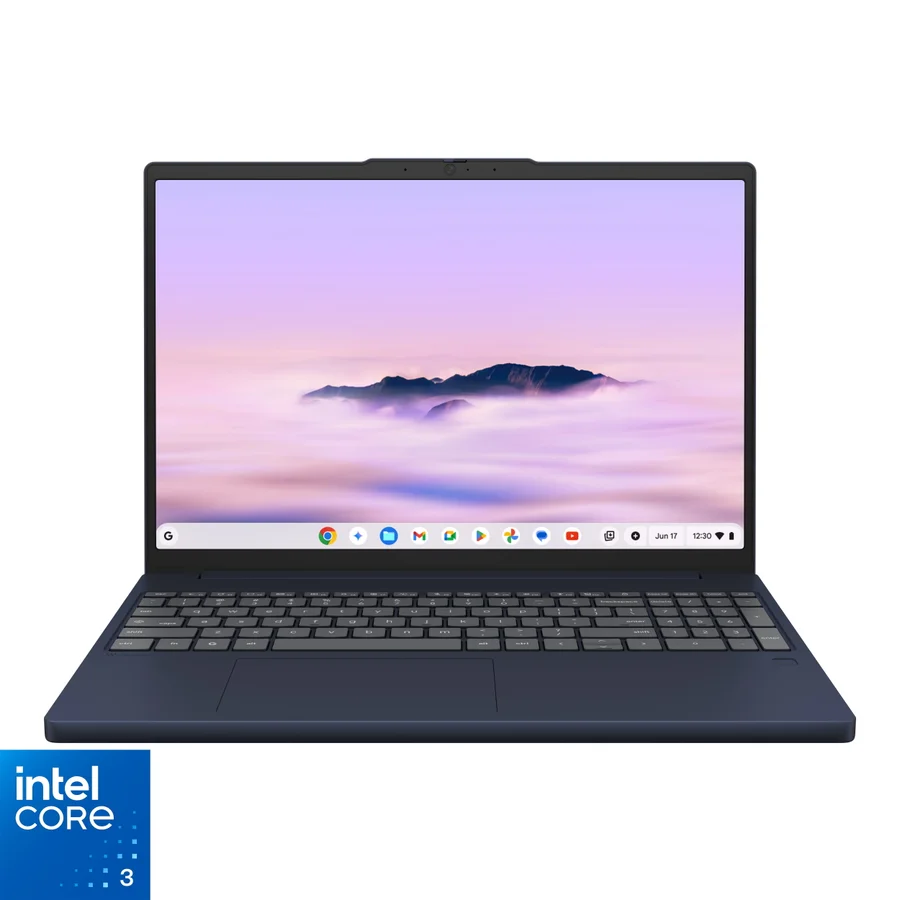
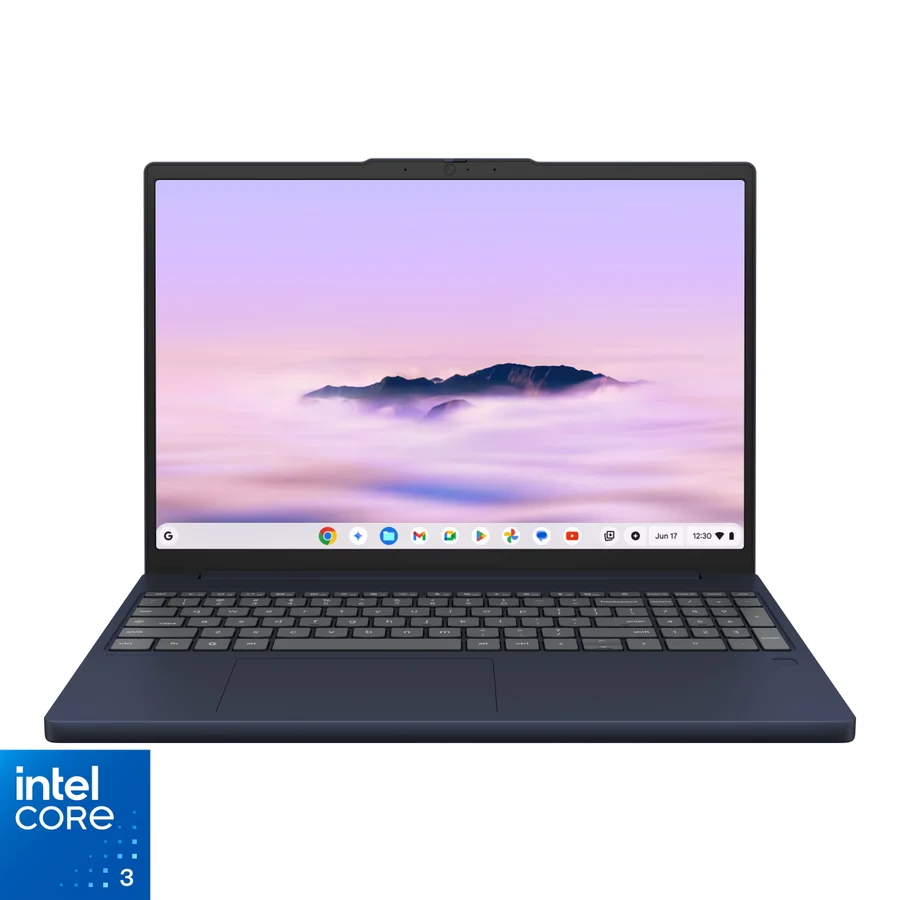
Blue Lenovo Chromebook Plus i with its screen open
EDITORIAL SCORE
8.6/10
Research-based assessment

A 15.3-inch Chromebook with Core 3 and 8 GB RAM. Score reflects listed strengths and trade-offs, not hands-on tests.

03 / For ChromeOS work on a taller display

Lenovo Chromebook Plus i, Cosmic Blue

A 15.3-inch Chromebook with Core 3 and 8 GB RAM.

The mapped configuration lists 128 GB SSD storage and a 1920 by 1200 screen. That 16:10 shape provides more vertical pixels than a 1920 by 1080 display, useful when reading documents or working through longer pages.

  • Intel Core 3
  • 8 GB RAM / 128 GB SSD
  • 15.3 in 1920 × 1200 display
Before you choose

Check the full machine type and course compatibility before buying. ChromeOS still has application limits, and this model is larger than the HP. Do not infer upgradeable RAM or a touchscreen from the Chromebook Plus name.

Check price at Walmart

Opens the linked product page. Confirm the exact model and any current purchase terms.

How we reached this verdictStrengths, caveats and our editorial score calculation8.6 /10

Research-based editorial assessment

Review verdict

Lenovo Chromebook Plus i, Cosmic Blue. A 15.3-inch Chromebook with Core 3 and 8 GB RAM. The mapped configuration lists 128 GB SSD storage and a 1920 by 1200 screen. That 16:10 shape provides more vertical pixels than a 1920 by 1080 display, useful when reading documents or working through longer pages.

What to keep in mind
  • Check the full machine type and course compatibility before buying.
  • ChromeOS still has application limits, and this model is larger than the HP.
  • Do not infer upgradeable RAM or a touchscreen from the Chromebook Plus name.

Where it fits best

For ChromeOS work on a taller display

The mapped configuration lists 128 GB SSD storage and a 1920 by 1200 screen. That 16:10 shape provides more vertical pixels than a 1920 by 1080 display, useful when reading documents or working through longer pages.

Before you buy

Check the full machine type and course compatibility before buying. ChromeOS still has application limits, and this model is larger than the HP. Do not infer upgradeable RAM or a touchscreen from the Chromebook Plus name.

Who should buy it?

Consider this product when your priority matches for chromeos work on a taller display and its listed features fit your setup. Compare the other options above and check the precise model, included accessories and retailer terms before ordering.

How we calculated 8.6/10

We weighted five criteria relevant to this guide. The values are editorial judgements based on the product descriptions, documented specifications and limitations. They are not independent performance measurements, laboratory test scores or customer ratings.

Listed hardware & display9.0 × 30%
Coursework suitability9.0 × 25%
Portability & usability8.4 × 20%
Software & RAM limitations7.8 × 15%
SKU clarity8.5 × 10%

Weighted editorial score: 8.6 / 10Listing research checked 3 November 2026
04 / Buying advice

Check the details that matter.

Ask your department first

Check required applications, exam software, lab access and supported operating systems. Some courses provide remote desktops, while others require software installed locally on Windows or macOS.

Leave room beyond minimum specifications

Minimum requirements often describe whether an application can run, not how comfortable it will be with several tools open. Compare recommended memory and storage against your normal workload.

Check support and daily carrying needs

For a Chromebook, confirm the exact model's update schedule. For every laptop, check weight, charger, ports and bag fit. Advertised battery figures do not establish a full day of your own coursework.

How this comparison was put together

We reviewed the exact retailer and manufacturer pages, product identities and supplied photographs on November 3, 2026. The selections compare college laptops by use case and practical tradeoffs. Specifications are attributed listing information unless a manufacturer source is identified. We have not conducted hands-on testing. Where shown, editorial scores are subjective, research-based assessments of listed features, suitability and limitations. unconfirmed performance, certification and medical claims are not treated as established results.

06 / FAQs

A few things worth knowing.

Can all three run Windows applications?

No. The HP runs Windows, while the Acer and Lenovo use ChromeOS. Some services have browser versions, but that does not make every Windows desktop application available on a Chromebook.

Is 4 GB RAM enough for college?

It can suit light tasks, but it is restrictive for multitasking and may fall below course recommendations. Check the applications you will use before choosing the HP configuration.

How do I check Chromebook update support?

Identify the exact submodel and follow Google's update-schedule instructions. Do not assume a fresh purchase starts a new full support period.

Are these recommended for engineering or video editing?

Not without checking the course's software and hardware requirements. This selection contains entry-level and browser-oriented configurations, not a verified workstation shortlist.

Does the Acer include the pictured sleeve?

The supplied seller image shows one, but confirm the package contents on the selected offer. Product photos and marketplace bundles can change.

Which display has more vertical space?

The mapped Lenovo lists 1920 by 1200 pixels, compared with the Acer's 1920 by 1080. The HP is listed as HD. Screen dimensions and scaling also affect how much content is comfortable to read.

Make the choice fit your day.

Choose the operating system your course supports, then leave enough memory and storage for your workload. A low purchase price is less useful if the required software cannot run.

Back to the shortlist ↑