The Gadget Nerds / A compact screen for work and play

24-inch monitors. Clear your desk. Keep things moving.

A compact Full HD monitor can work well on a smaller desk. The useful differences here are panel type, refresh rate and connections, rather than the shared 24-inch class label.

3 products comparedResearch checked November 3, 2026

Category illustration. Compare the real products below.

A note on links. Product links take you directly to Walmart. No affiliate tracking has been added to these links. Seller, price, delivery and availability can change. This guide is based on research, not hands-on testing.

01 / The shortlist

3 options. Different reasons to choose.

Start with the job you need it to do. These selections are organised by use case rather than sorted by editorial score.

LG and Dell list 144Hz IPS panels. Philips lists a 100Hz VA panel with HDMI and VGA. Check the ports and stand adjustments you need before choosing by refresh rate alone.

At a glance. Specifications are listing claims unless stated otherwise.
ProductEditorial scoreConsider it forKey detailsKeep in mind
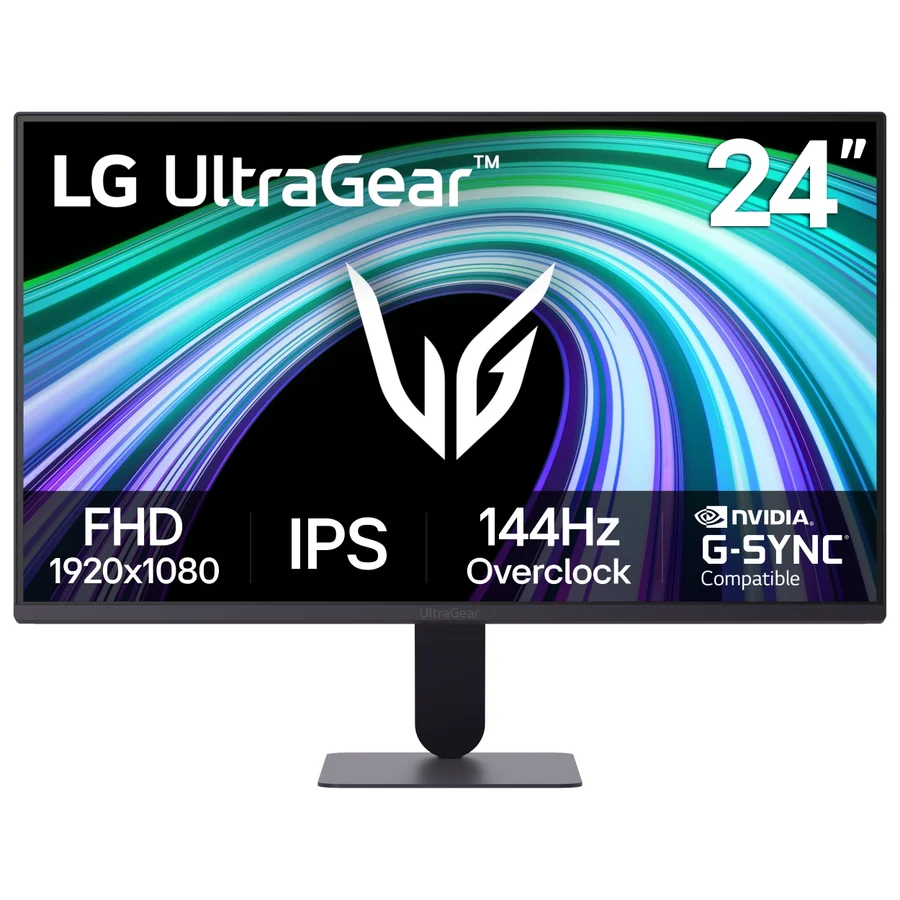
LG UltraGear 24G41WBRead the comparison8.6 /10Research-baseda compact 144Hz gaming setup1920 x 1080 IPS panel
144Hz native refresh listed
100 x 100 VESA pattern

The 1ms figure describes Motion Blur Reduction, not a measured end-to-end input delay. HDR10 input support does not establish premium HDR brightness or contrast. Confirm the exact port and supported signal mode before purchase.

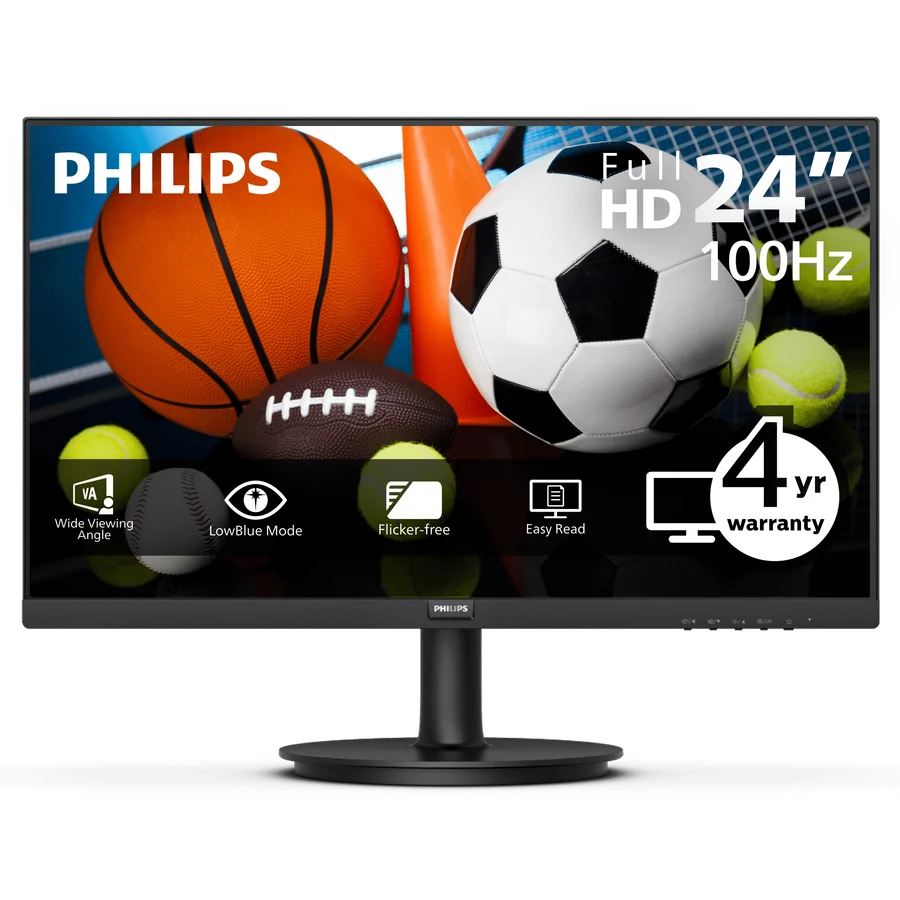
Philips 241V8LBSRead the comparison8.0 /10Research-basedHDMI and an older VGA connectionFull HD VA panel listed
100Hz refresh listed
HDMI and VGA listed

Do not assume VGA supports every advertised refresh mode. Confirm the exact 241V8LBS specification because the shorter model name also appears in the description. Check the terms behind the advertised replacement warranty with the seller.

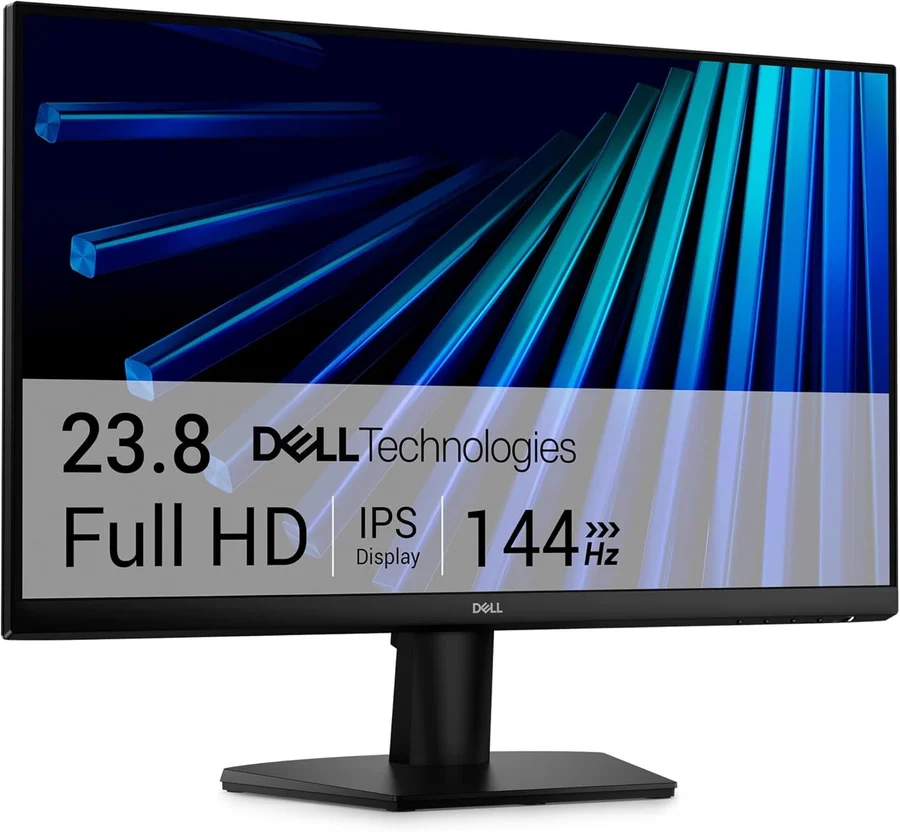
Dell 24 SE2426HRead the comparison8.8 /10Research-basedtwo HDMI inputs on a compact IPS screen23.8-inch IPS panel
144Hz and two HDMI inputs
Tilt stand listed

Its 1ms MPRT headline and separate 8ms response-time field describe different measures or modes. Neither is a measured input-lag result from us. The listed stand tilts, so verify separate mounting options if you need height adjustment.

LG UltraGear 24G41WB

EDITORIAL SCORE 8.6 /10

For a compact 144Hz gaming setup

  • 1920 x 1080 IPS panel
  • 144Hz native refresh listed
  • 100 x 100 VESA pattern

The 1ms figure describes Motion Blur Reduction, not a measured end-to-end input delay. HDR10 input support does not establish premium HDR brightness or contrast. Confirm the exact port and supported signal mode before purchase.

Read the comparison

Philips 241V8LBS

EDITORIAL SCORE 8.0 /10

For HDMI and an older VGA connection

  • Full HD VA panel listed
  • 100Hz refresh listed
  • HDMI and VGA listed

Do not assume VGA supports every advertised refresh mode. Confirm the exact 241V8LBS specification because the shorter model name also appears in the description. Check the terms behind the advertised replacement warranty with the seller.

Read the comparison

Dell 24 SE2426H

EDITORIAL SCORE 8.8 /10

For two HDMI inputs on a compact IPS screen

  • 23.8-inch IPS panel
  • 144Hz and two HDMI inputs
  • Tilt stand listed

Its 1ms MPRT headline and separate 8ms response-time field describe different measures or modes. Neither is a measured input-lag result from us. The listed stand tilts, so verify separate mounting options if you need height adjustment.

Read the comparison

02 / Find your pick

What matters to you?

Choose a use case to jump to the relevant comparison. This is a navigation aid, not a personalized test result.

LG UltraGear 24-inch gaming monitor

LG UltraGear 24G41WB

A Full HD IPS monitor with listed adaptive-sync support.

See this comparison ↓

03 / A closer look

The details that make a difference.

LG UltraGear 24-inch gaming monitor
EDITORIAL SCORE
8.6/10
Research-based assessment

A Full HD IPS monitor with listed adaptive-sync support. Score reflects listed strengths and trade-offs, not hands-on tests.

01 / For a compact 144Hz gaming setup

LG UltraGear 24G41WB

A Full HD IPS monitor with listed adaptive-sync support.

The LG combines 1920 x 1080 resolution with a native 144Hz refresh rate. Its description includes AMD FreeSync, G-SYNC compatibility and 1ms Motion Blur Reduction. Those features are relevant to gaming, subject to your graphics hardware and selected mode.

  • 1920 x 1080 IPS panel
  • 144Hz native refresh listed
  • 100 x 100 VESA pattern
Before you choose

The 1ms figure describes Motion Blur Reduction, not a measured end-to-end input delay. HDR10 input support does not establish premium HDR brightness or contrast. Confirm the exact port and supported signal mode before purchase.

Check price at Walmart

Opens the linked product page. Confirm the exact model and any current purchase terms.

How we reached this verdictStrengths, caveats and our editorial score calculation8.6 /10

Research-based editorial assessment

Review verdict

LG UltraGear 24G41WB. A Full HD IPS monitor with listed adaptive-sync support. The LG combines 1920 x 1080 resolution with a native 144Hz refresh rate. Its description includes AMD FreeSync, G-SYNC compatibility and 1ms Motion Blur Reduction. Those features are relevant to gaming, subject to your graphics hardware and selected mode.

What to keep in mind
  • The 1ms figure describes Motion Blur Reduction, not a measured end-to-end input delay.
  • HDR10 input support does not establish premium HDR brightness or contrast.
  • Confirm the exact port and supported signal mode before purchase.

Where it fits best

For a compact 144Hz gaming setup

The LG combines 1920 x 1080 resolution with a native 144Hz refresh rate. Its description includes AMD FreeSync, G-SYNC compatibility and 1ms Motion Blur Reduction. Those features are relevant to gaming, subject to your graphics hardware and selected mode.

Before you buy

The 1ms figure describes Motion Blur Reduction, not a measured end-to-end input delay. HDR10 input support does not establish premium HDR brightness or contrast. Confirm the exact port and supported signal mode before purchase.

Who should buy it?

Consider this product when your priority matches for a compact 144hz gaming setup and its listed features fit your setup. Compare the other options above and check the precise model, included accessories and retailer terms before ordering.

How we calculated 8.6/10

We weighted five criteria relevant to this guide. The values are editorial judgements based on the product descriptions, documented specifications and limitations. They are not independent performance measurements, laboratory test scores or customer ratings.

Display and refresh features9.0 × 30%
Work or gaming suitability8.8 × 25%
Ergonomics and connections8.7 × 20%
Panel and mode trade-offs8.2 × 15%
Specification clarity7.4 × 10%

Weighted editorial score: 8.6 / 10Listing research checked 3 November 2026

Philips 241V8LBS Full HD monitor
EDITORIAL SCORE
8.0/10
Research-based assessment

A 24-inch class Full HD VA monitor listing 100Hz. Score reflects listed strengths and trade-offs, not hands-on tests.

02 / For HDMI and an older VGA connection

Philips 241V8LBS

A 24-inch class Full HD VA monitor listing 100Hz.

The Philips offer lists one HDMI connection and one VGA port. Its VA panel and reading presets offer a different feature mix from the two IPS models. A supplied HDMI cable is listed, which may cover a simple direct connection to a compatible computer.

  • Full HD VA panel listed
  • 100Hz refresh listed
  • HDMI and VGA listed
Before you choose

Do not assume VGA supports every advertised refresh mode. Confirm the exact 241V8LBS specification because the shorter model name also appears in the description. Check the terms behind the advertised replacement warranty with the seller.

Check price at Walmart

Opens the linked product page. Confirm the exact model and any current purchase terms.

How we reached this verdictStrengths, caveats and our editorial score calculation8.0 /10

Research-based editorial assessment

Review verdict

Philips 241V8LBS. A 24-inch class Full HD VA monitor listing 100Hz. The Philips offer lists one HDMI connection and one VGA port. Its VA panel and reading presets offer a different feature mix from the two IPS models. A supplied HDMI cable is listed, which may cover a simple direct connection to a compatible computer.

What to keep in mind
  • Do not assume VGA supports every advertised refresh mode.
  • Confirm the exact 241V8LBS specification because the shorter model name also appears in the description.
  • Check the terms behind the advertised replacement warranty with the seller.

Where it fits best

For HDMI and an older VGA connection

The Philips offer lists one HDMI connection and one VGA port. Its VA panel and reading presets offer a different feature mix from the two IPS models. A supplied HDMI cable is listed, which may cover a simple direct connection to a compatible computer.

Before you buy

Do not assume VGA supports every advertised refresh mode. Confirm the exact 241V8LBS specification because the shorter model name also appears in the description. Check the terms behind the advertised replacement warranty with the seller.

Who should buy it?

Consider this product when your priority matches for hdmi and an older vga connection and its listed features fit your setup. Compare the other options above and check the precise model, included accessories and retailer terms before ordering.

How we calculated 8.0/10

We weighted five criteria relevant to this guide. The values are editorial judgements based on the product descriptions, documented specifications and limitations. They are not independent performance measurements, laboratory test scores or customer ratings.

Display and refresh features8.4 × 30%
Work or gaming suitability8.2 × 25%
Ergonomics and connections8.1 × 20%
Panel and mode trade-offs7.6 × 15%
Specification clarity6.8 × 10%

Weighted editorial score: 8.0 / 10Listing research checked 3 November 2026

Dell SE2426H monitor with tilt stand
EDITORIAL SCORE
8.8/10
Research-based assessment

A 23.8-inch Full HD monitor with a tilt stand. Score reflects listed strengths and trade-offs, not hands-on tests.

03 / For two HDMI inputs on a compact IPS screen

Dell 24 SE2426H

A 23.8-inch Full HD monitor with a tilt stand.

The Dell lists 1920 x 1080 at 144Hz, two HDMI inputs and AMD FreeSync. Two inputs can be useful when connecting a computer and another source, although they do not establish simultaneous picture-by-picture display. An HDMI cable is included in the package list.

  • 23.8-inch IPS panel
  • 144Hz and two HDMI inputs
  • Tilt stand listed
Before you choose

Its 1ms MPRT headline and separate 8ms response-time field describe different measures or modes. Neither is a measured input-lag result from us. The listed stand tilts, so verify separate mounting options if you need height adjustment.

Check price at Walmart

Opens the linked product page. Confirm the exact model and any current purchase terms.

How we reached this verdictStrengths, caveats and our editorial score calculation8.8 /10

Research-based editorial assessment

Review verdict

Dell 24 SE2426H. A 23.8-inch Full HD monitor with a tilt stand. The Dell lists 1920 x 1080 at 144Hz, two HDMI inputs and AMD FreeSync. Two inputs can be useful when connecting a computer and another source, although they do not establish simultaneous picture-by-picture display. An HDMI cable is included in the package list.

What to keep in mind
  • Its 1ms MPRT headline and separate 8ms response-time field describe different measures or modes.
  • Neither is a measured input-lag result from us.
  • The listed stand tilts, so verify separate mounting options if you need height adjustment.

Where it fits best

For two HDMI inputs on a compact IPS screen

The Dell lists 1920 x 1080 at 144Hz, two HDMI inputs and AMD FreeSync. Two inputs can be useful when connecting a computer and another source, although they do not establish simultaneous picture-by-picture display. An HDMI cable is included in the package list.

Before you buy

Its 1ms MPRT headline and separate 8ms response-time field describe different measures or modes. Neither is a measured input-lag result from us. The listed stand tilts, so verify separate mounting options if you need height adjustment.

Who should buy it?

Consider this product when your priority matches for two hdmi inputs on a compact ips screen and its listed features fit your setup. Compare the other options above and check the precise model, included accessories and retailer terms before ordering.

How we calculated 8.8/10

We weighted five criteria relevant to this guide. The values are editorial judgements based on the product descriptions, documented specifications and limitations. They are not independent performance measurements, laboratory test scores or customer ratings.

Display and refresh features9.2 × 30%
Work or gaming suitability9.0 × 25%
Ergonomics and connections8.9 × 20%
Panel and mode trade-offs8.5 × 15%
Specification clarity7.5 × 10%

Weighted editorial score: 8.8 / 10Listing research checked 3 November 2026

04 / Buying advice

Check the details that matter.

Match the screen to your working distance

All three offers are Full HD. Check the physical dimensions and how text looks at your preferred scaling before assuming that a higher refresh rate will improve a desk-work setup.

Trace the whole connection

Check the computer output, cable and monitor input together. Select the supported resolution and refresh rate in your operating system after connecting the screen.

Separate motion specifications

Refresh rate, pixel response and input delay describe different things. A 1ms headline does not prove every transition or the complete computer-to-screen response takes one millisecond.

How this comparison was put together

We reviewed the exact retailer and manufacturer pages, product identities and supplied photographs on November 3, 2026. The selections compare 24-inch monitors by use case and practical tradeoffs. Specifications are attributed listing information unless a manufacturer source is identified. We have not conducted hands-on testing. The editorial scores above are subjective, research-based assessments of listed features, suitability and limitations. unconfirmed performance, certification and medical claims are not treated as established results.

06 / FAQs

A few things worth knowing.

Are these all exactly 24 inches?

They are sold in the 24-inch class. The Dell listing specifies a 23.8-inch diagonal. Use the actual screen and stand measurements when checking desk space rather than treating the class name as a precise measurement.

Which models list 144Hz?

LG 24G41WB and Dell SE2426H list 144Hz. Philips 241V8LBS lists 100Hz. Your computer, connection and display settings must support the chosen mode to use that refresh rate.

Does the LG 1ms claim mean 1ms input lag?

No. Its description identifies 1ms Motion Blur Reduction. That is not an independently measured end-to-end input-lag result. Check the available display modes and their tradeoffs rather than comparing the number with a differently measured specification.

Which monitor has two HDMI connections?

Dell SE2426H lists two HDMI inputs. That can let you leave two sources connected and switch between them. The listing does not establish that both can appear on screen at once.

Can I use an older computer with VGA?

The Philips offer lists a VGA port. Check your computer output and the supported VGA resolution and refresh rate. The advertised maximum refresh rate may depend on using a different input.

Can these go on a monitor arm?

All three listings give a 100 x 100 VESA pattern. Confirm the exact monitor weight, mounting instructions and required screws against your arm. A matching hole pattern alone does not establish a safe or suitable installation.

Make the choice fit your day.

Choose the connections and desk fit first. Then pick the refresh rate and panel features that your computer and everyday use can take advantage of.

Back to the shortlist ↑