Separate the aircraft from the camera
Flight stability, control behavior and camera quality answer different questions. A high-resolution camera does not tell you how the aircraft handles wind or what happens when the control link drops.
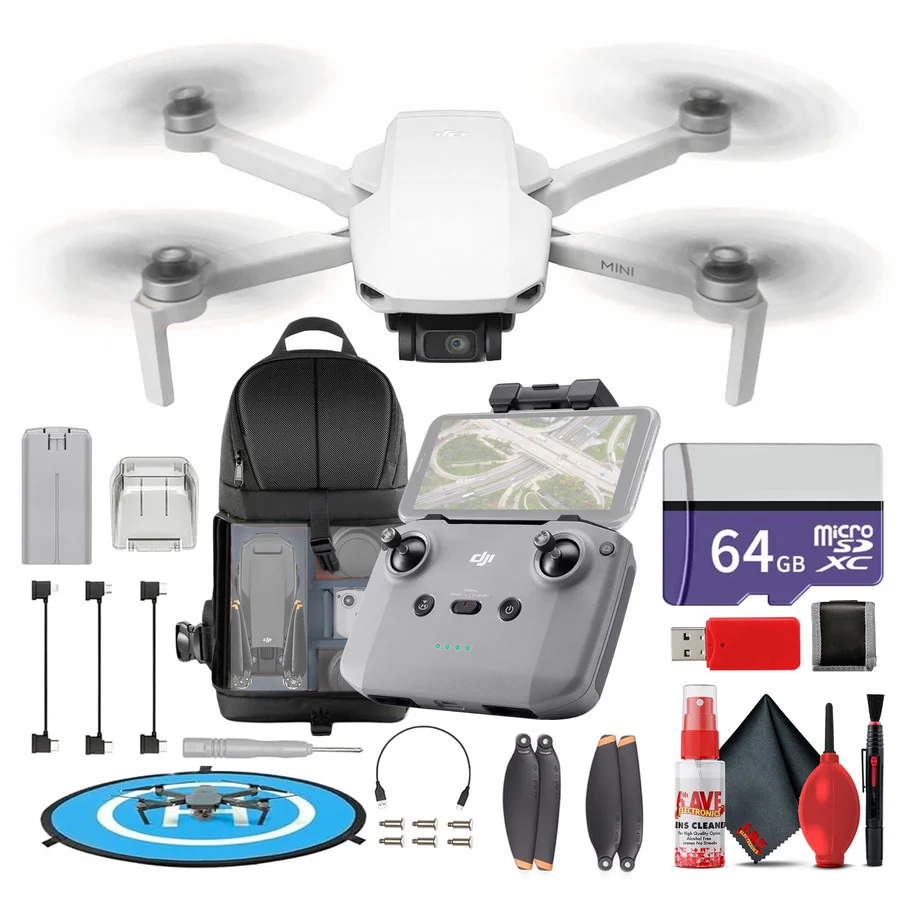
Read the manual for the selected model. Identify the control layout, supported flight modes, battery warnings and landing procedure. Check whether the camera angle is adjustable and whether stabilization is mechanical, electronic or absent.
For a first purchase, our camera-drone comparison separates the mapped options. Treat specifications as conditions to verify, not as permission to fly at the advertised range.
Check which US rules apply
The FAA's recreational-flyer guidance requires TRUST completion and proof, visual line of sight and compliance with airspace restrictions. Its summary requires registration at 250g or more. Registered drones generally need Remote ID unless an applicable exception is used. In uncontrolled Class G airspace, the ordinary recreational ceiling is 400 feet above the ground.
Controlled airspace requires authorization, and payment alone does not determine whether a flight is recreational. Check the correct framework for the purpose of your flight. A lightweight drone is not exempt from every rule.
This is a starting summary, not the complete operating requirements. Read the FAA's current guidance and the rules for the site before flying. Outside the US, use the relevant national aviation authority.
Choose a practice area before choosing a shot
Find a location where both flight and ground access are permitted. Check for people, animals, obstacles, changing conditions and any temporary restrictions. Obtain the permissions your activity requires.
Keep the first session simple. Learn takeoff, hover, orientation and landing within the model's instructions and your competence. Stop before a low-battery warning forces a hurried decision.
A screen view is useful for framing but does not replace awareness of the aircraft and surrounding airspace. Never assume that an app's ability to start the motors proves that the flight is allowed.
Understand automatic features before relying on them
Return-to-home, obstacle sensing and tracking behavior vary by model and mode. Learn what triggers each feature, what information it depends on and how to interrupt it safely. Check the home point and any relevant return settings according to the manual.
Automatic assistance cannot make every route safe. Wires, branches, reflective surfaces or difficult lighting may present problems for particular systems. Read the stated limitations instead of treating an avoidance feature as a shield.
Plan what you will do if the camera feed, positioning or control link becomes unreliable. That is a question to answer on the ground.
Build a repeatable preflight and pack-down routine
- Inspect the aircraft and propellers using the manufacturer's checklist.
- Check battery condition, charge and secure installation.
- Confirm the intended flight area, weather and applicable permissions.
- Review warnings and ensure the controller and aircraft are ready.
- After landing, power down and handle batteries as instructed.
Back up useful footage and note any unexpected behavior before the next outing. If an inspection reveals damage or an unresolved warning, resolve it before flying again. A planned shot can wait.
Decide whether the flight is recreational
In the United States, the reason for the flight changes the applicable operating framework. A trip flown solely for fun may qualify under the recreational exception; using footage for a business purpose can point to Part 107. The FAA’s overview explains the distinction and directs pilots to its current rules. Do not infer the category merely from whether money changes hands that day. Decide the purpose before buying, training or planning a shoot. Outside the United States, check the responsible aviation authority for the place of operation. A web article cannot substitute for the current local rules.
Check registration and Remote ID
The FAA’s registration page says drones at or below 0.55 pounds are exempt from registration only when flown exclusively under the recreational exception. Drones that require registration, or are registered, generally must comply with Remote ID requirements. Check the exact aircraft, accessories and operating category rather than relying on an advertised “under 250g” label. Batteries, guards and attachments can affect the takeoff weight. Save the registration details securely and display identification as required. Registration is an administrative step, not permission to fly anywhere or beyond visual line of sight.
Check airspace before every launch
A location that looks open can still lie in controlled airspace or near a temporary restriction. Use the FAA’s current airspace tools and check for restrictions close to the time of flight. The recreational-flyer page explains authorization requirements and the ordinary altitude limit in uncontrolled airspace. Keep the aircraft within visual line of sight and assess obstacles, wind, bystanders and possible landing spots. A camera view is not the same as seeing the aircraft’s position and surrounding hazards. Set a conservative return point and stop if conditions no longer match the plan.
Read battery endurance as a planning number
Published flight time is usually measured under specific conditions. Wind, cold, repeated climbs, camera use and aging batteries can shorten the practical window. Plan to land with a reserve rather than fly until a low-battery warning becomes urgent. Inspect the battery and connectors for damage before use, and follow the manufacturer’s charging and storage instructions. Carry a second approved battery if a longer session is important. Do not charge an unattended or visibly damaged pack. Record how much time your own model delivers under routine conditions so future plans use experience, not the most favorable marketing figure.
Separate camera specs from usable footage
Sensor resolution is only one part of the result. Stabilization, lens angle, exposure control, compression, storage speed and the aircraft’s steadiness all affect footage. For still photos, check whether the model saves a format you can edit and whether the camera angle supports your intended composition. For video, verify the actual frame rate and crop at the resolution you plan to use. A smooth sample shot in calm conditions does not prove stable footage in wind. If you expect to edit professionally, test a short flight and the full transfer workflow before promising a client a deliverable.
Protect other people’s privacy
Choose a takeoff and shooting plan that respects people on the ground. Avoid recording into homes or private spaces and check local rules for parks, property access and privacy. Ask permission where required and explain the purpose of a planned commercial shoot. Keep footage and location metadata in a controlled place, especially if people are identifiable. Do not publish a clip just because the aircraft was allowed in the air; use of the recording can raise separate issues. For work, agree in writing on who owns the files, how long they are retained and whether any subjects need consent.
Buy for the full operating workflow
Compare the aircraft, controller, batteries, charging method, spare parts, repair support and software updates as one system. The cheapest drone may be poor value if batteries are unavailable or the supported app no longer runs on your phone. Check the total packed weight and any registration implications. Practice on a low-risk site before relying on automated tracking or return-to-home. Confirm the manufacturer’s behavior when GPS, the control link or a sensor fails. A good first drone is one whose limits you understand and can manage, not simply the model with the longest range claim.
This article draws on the linked primary sources and practical explanations. It does not report hands-on testing or a personalized assessment.