The Gadget Nerds / Three ways to sharpen your desk

More detail. The right pace. A clearer choice.

These 27-inch screens share a 4K resolution, but their priorities differ. Match the panel and refresh rate to your work or games, then check what your computer and cable can actually deliver.

3 products comparedResearch checked November 3, 2026

Category illustration. Compare the real products below.

A note on links. Product links take you directly to Walmart. No affiliate tracking has been added to these links. Seller, price, delivery and availability can change. This guide is based on research, not hands-on testing.

01 / The shortlist

3 options. Different reasons to choose.

Start with the job you need it to do. These selections are organised by use case rather than ordered by editorial score.

TCL pairs Mini LED with a lower-resolution high-refresh mode. Samsung’s OLED G8 prioritizes 4K high-refresh gaming, while LG’s 27US500-W is a simpler 60Hz IPS option for everyday desktop work.

At a glance. Specifications are listing claims unless stated otherwise.
ProductEditorial scoreConsider it forKey detailsKeep in mind
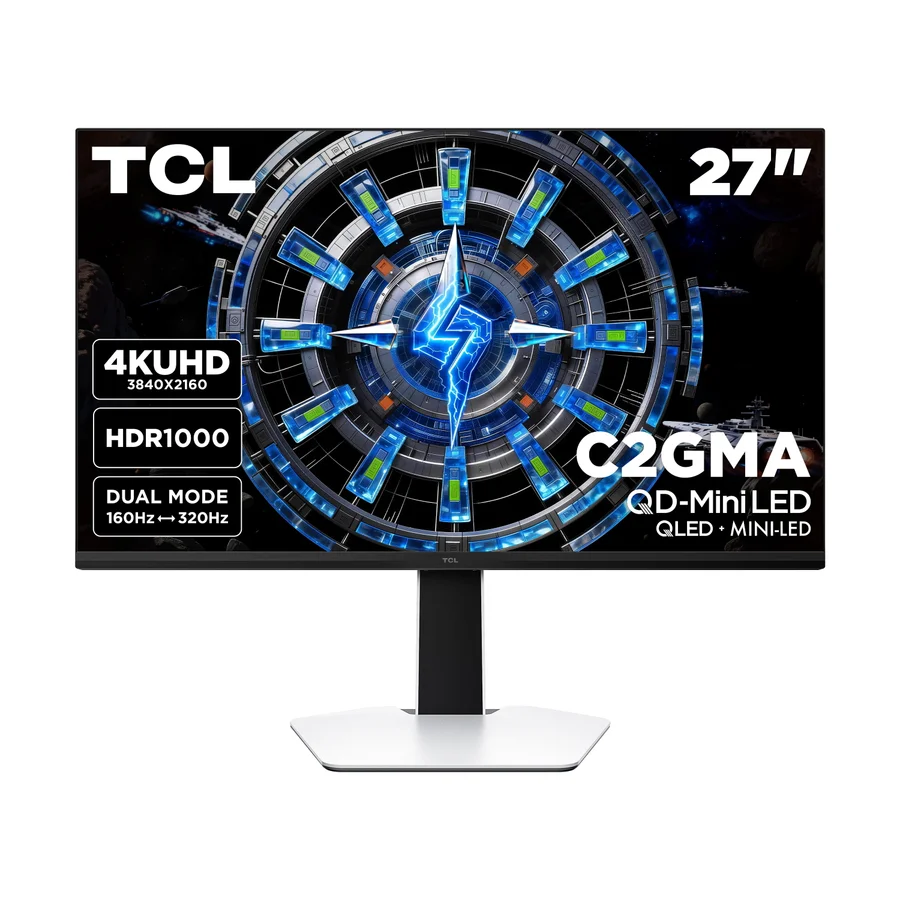
TCL 27C2GMA 27-inch QD-Mini LED monitorRead the comparison8.6 /10Research-basedswitching between detailed and faster gaming modes3840 × 2160 at up to 160Hz
1920 × 1080 at up to 320Hz
Height and tilt adjustment listed

The 320Hz mode is Full HD, not 4K. HDR1000 and local-dimming wording are manufacturer or retailer claims, not measured results here. Verify supported input modes and the required computer output.

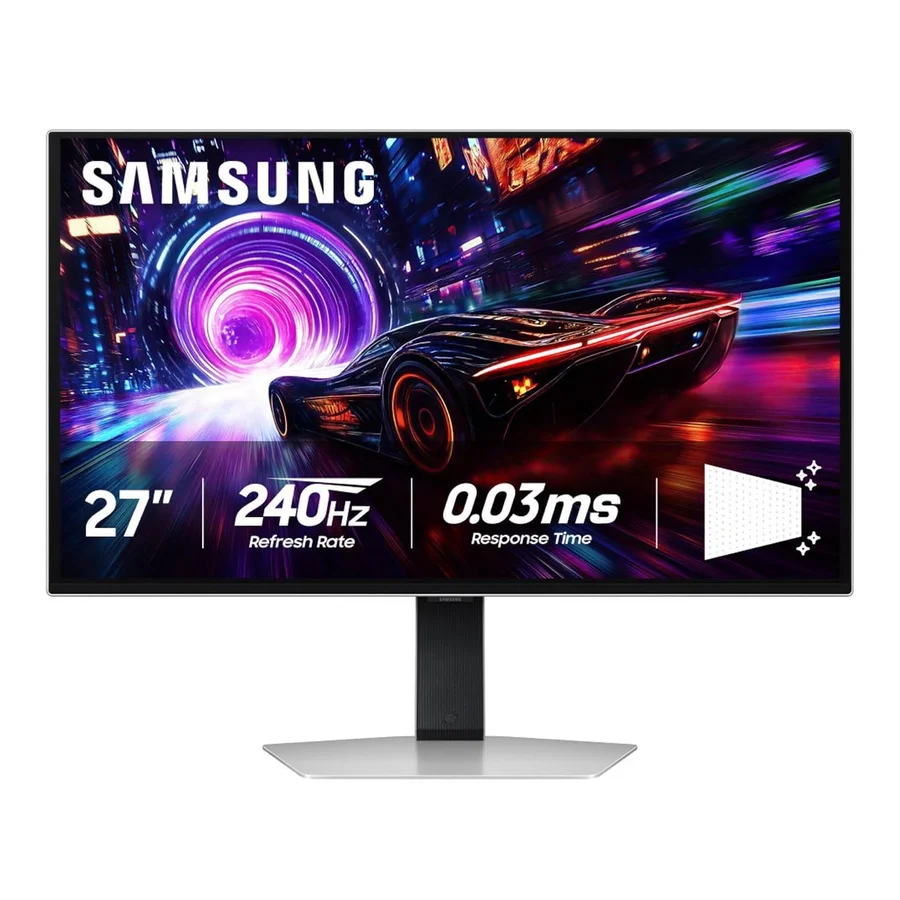
Samsung 27-inch Odyssey OLED G8 G81SFRead the comparison8.8 /10Research-based4K OLED gaming at high refresh rates27-inch OLED
3840 × 2160 / up to 240Hz
Model LS27FG810SNXZA

A 240Hz screen does not guarantee 240 frames per second from your computer. Check input support, care features and warranty terms, especially if your routine includes long periods of static desktop content.

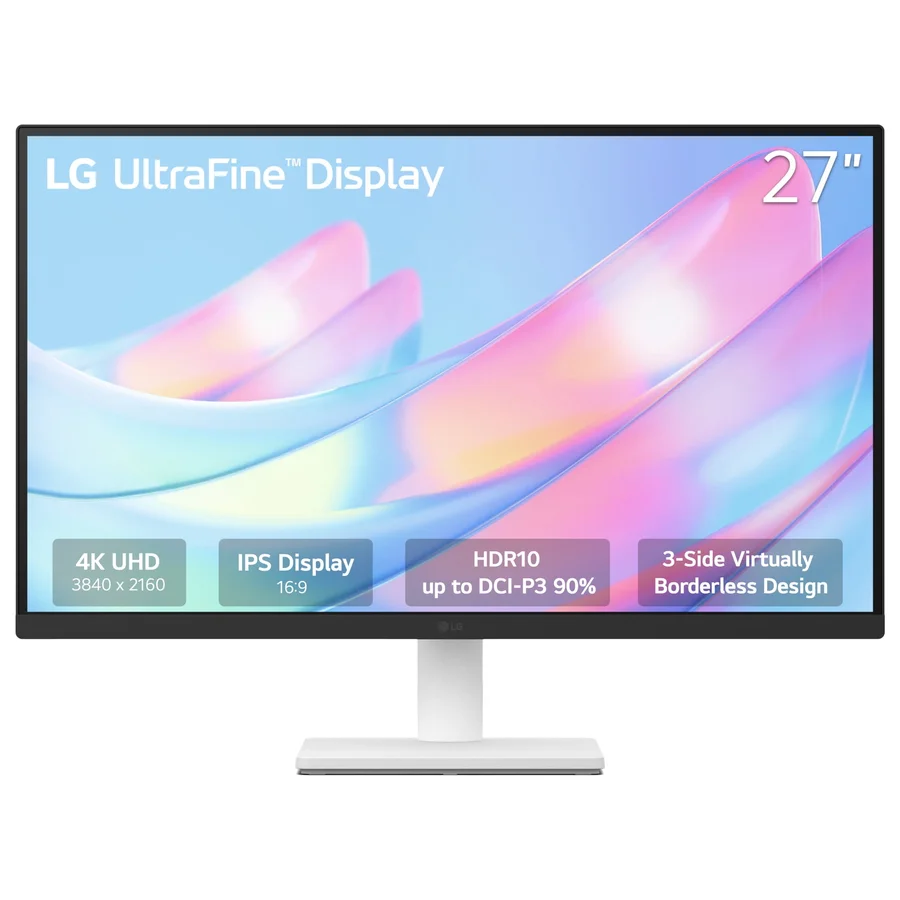
LG UltraFine 27US500-W 27-inch 4K IPS monitorRead the comparison8.3 /10Research-baseda straightforward everyday 4K desktop27-inch 4K IPS / 60Hz
Two HDMI inputs and DisplayPort
Tilt-adjustable stand

This is not a high-refresh gaming monitor. The stand does not establish height adjustment, and the inputs do not provide a one-cable USB-C charging dock. HDR10 support alone does not establish premium HDR brightness.

TCL 27C2GMA 27-inch QD-Mini LED monitor

EDITORIAL SCORE 8.6 /10

For switching between detailed and faster gaming modes

  • 3840 × 2160 at up to 160Hz
  • 1920 × 1080 at up to 320Hz
  • Height and tilt adjustment listed

The 320Hz mode is Full HD, not 4K. HDR1000 and local-dimming wording are manufacturer or retailer claims, not measured results here. Verify supported input modes and the required computer output.

Read the comparison

Samsung 27-inch Odyssey OLED G8 G81SF

EDITORIAL SCORE 8.8 /10

For 4K OLED gaming at high refresh rates

  • 27-inch OLED
  • 3840 × 2160 / up to 240Hz
  • Model LS27FG810SNXZA

A 240Hz screen does not guarantee 240 frames per second from your computer. Check input support, care features and warranty terms, especially if your routine includes long periods of static desktop content.

Read the comparison

LG UltraFine 27US500-W 27-inch 4K IPS monitor

EDITORIAL SCORE 8.3 /10

For a straightforward everyday 4K desktop

  • 27-inch 4K IPS / 60Hz
  • Two HDMI inputs and DisplayPort
  • Tilt-adjustable stand

This is not a high-refresh gaming monitor. The stand does not establish height adjustment, and the inputs do not provide a one-cable USB-C charging dock. HDR10 support alone does not establish premium HDR brightness.

Read the comparison

02 / Find your pick

What matters to you?

Choose a use case to jump to the relevant comparison. This is a navigation aid, not a personalized test result.

TCL 27-inch QD-Mini LED gaming monitor

TCL 27C2GMA 27-inch QD-Mini LED monitor

A dual-mode display listed for 4K at 160Hz or Full HD at 320Hz.

See this comparison ↓

03 / A closer look

The details that make a difference.

TCL 27-inch QD-Mini LED gaming monitor
EDITORIAL SCORE
8.6/10
Based on listed specifications

Dual-mode flexibility earns a strong score. The fastest mode requires Full HD.

01 / For switching between detailed and faster gaming modes

TCL 27C2GMA 27-inch QD-Mini LED monitor

A dual-mode display listed for 4K at 160Hz or Full HD at 320Hz.

The mapped TCL combines a quantum-dot Mini LED design with a height-adjustable stand and adaptive-sync support. Its two operating modes let you prioritize pixel detail or a higher refresh rate.

  • 3840 × 2160 at up to 160Hz
  • 1920 × 1080 at up to 320Hz
  • Height and tilt adjustment listed
Before you choose

The 320Hz mode is Full HD, not 4K. HDR1000 and local-dimming wording are manufacturer or retailer claims, not measured results here. Verify supported input modes and the required computer output.

Check price at Walmart

Opens the linked product page. Confirm the exact model and any current purchase terms.

How we reached this verdictOur reasoning, strengths, trade-offs and scoring method8.6 /10

TCL 27C2GMA · Editorial assessment

Review verdict

The TCL 27C2GMA is a strong fit if you split your time between detailed single-player games and fast competitive titles. Its appeal is choosing between two modes on one 27-inch screen. The trade-off is that 4K is not available when you switch to the fastest 320Hz mode.

What to keep in mind
  • 320Hz requires switching to Full HD
  • Confirm input support for each mode
  • HDR performance needs independent testing
  • Your PC must sustain high frame rates

Which mode should you use?

4K at up to 160Hz

Choose this for detailed game worlds, readable text and games where sharpness matters most.

Full HD at up to 320Hz

Choose this for competitive games when your PC can sustain the frame rate.

Who should buy it?

Worth a look if you play both competitive and single-player games on the same setup. If you mainly play at one resolution, compare with monitors built specifically around that mode.

How we calculated 8.6/10

Our pilot editorial rubric considers advertised flexibility, practical features and limitations. These numbers are editorial judgements from listed specifications, not hands-on test measurements or customer ratings.

Dual-mode flexibility9.2 × 30%
Listed display capabilities8.8 × 25%
Ergonomics8.5 × 20%
Setup compatibility8.0 × 15%
Claims confidence7.4 × 10%

Weighted score: 8.6 / 10Research checked 3 November 2026

Samsung 27-inch Odyssey OLED G8 G81SF monitor
EDITORIAL SCORE
8.8/10
Research-based assessment

The mapped LS27FG810SNXZA is a 27-inch 4K 240Hz OLED model. Score reflects listed strengths and trade-offs, not hands-on tests.

02 / For 4K OLED gaming at high refresh rates

Samsung 27-inch Odyssey OLED G8 G81SF

The mapped LS27FG810SNXZA is a 27-inch 4K 240Hz OLED model.

This Samsung suits a shortlist focused on OLED contrast and a high 4K refresh ceiling. Match the complete model code because Odyssey G8 covers different sizes and panel generations.

  • 27-inch OLED
  • 3840 × 2160 / up to 240Hz
  • Model LS27FG810SNXZA
Before you choose

A 240Hz screen does not guarantee 240 frames per second from your computer. Check input support, care features and warranty terms, especially if your routine includes long periods of static desktop content.

Check price at Walmart

Opens the linked product page. Confirm the exact model and any current purchase terms.

How we reached this verdictStrengths, caveats and our editorial score calculation8.8 /10

Research-based editorial assessment

Review verdict

Samsung 27-inch Odyssey OLED G8 G81SF. The mapped LS27FG810SNXZA is a 27-inch 4K 240Hz OLED model. This Samsung suits a shortlist focused on OLED contrast and a high 4K refresh ceiling. Match the complete model code because Odyssey G8 covers different sizes and panel generations.

What to keep in mind
  • A 240Hz screen does not guarantee 240 frames per second from your computer.
  • Check input support, care features and warranty terms, especially if your routine includes long periods of static desktop content.

Where it fits best

For 4K OLED gaming at high refresh rates

This Samsung suits a shortlist focused on OLED contrast and a high 4K refresh ceiling. Match the complete model code because Odyssey G8 covers different sizes and panel generations.

Before you buy

A 240Hz screen does not guarantee 240 frames per second from your computer. Check input support, care features and warranty terms, especially if your routine includes long periods of static desktop content.

Who should buy it?

Consider this product when your priority matches for 4k oled gaming at high refresh rates and its listed features fit your setup. Compare the other options above and check the precise model, included accessories and retailer terms before ordering.

How we calculated 8.8/10

We weighted five criteria relevant to this guide. The values are editorial judgements based on the product descriptions, documented specifications and limitations. They are not independent performance measurements, laboratory test scores or customer ratings.

Display capability9.3 × 30%
Gaming or work fit9.2 × 25%
Desk practicality8.7 × 20%
Mode & setup caveats8.1 × 15%
Listing confidence8.0 × 10%

Weighted editorial score: 8.8 / 10Listing research checked 3 November 2026

White LG UltraFine 27US500-W 4K monitor
EDITORIAL SCORE
8.3/10
Research-based assessment

A white-finish 60Hz IPS monitor with HDR10 support. Score reflects listed strengths and trade-offs, not hands-on tests.

03 / For a straightforward everyday 4K desktop

LG UltraFine 27US500-W 27-inch 4K IPS monitor

A white-finish 60Hz IPS monitor with HDR10 support.

The LG offers a 3840 × 2160 desktop for documents, browsing and general creative work. Its listed connections include two HDMI inputs and DisplayPort, while the supplied stand provides tilt adjustment.

  • 27-inch 4K IPS / 60Hz
  • Two HDMI inputs and DisplayPort
  • Tilt-adjustable stand
Before you choose

This is not a high-refresh gaming monitor. The stand does not establish height adjustment, and the inputs do not provide a one-cable USB-C charging dock. HDR10 support alone does not establish premium HDR brightness.

Check price at Walmart

Opens the linked product page. Confirm the exact model and any current purchase terms.

How we reached this verdictStrengths, caveats and our editorial score calculation8.3 /10

Research-based editorial assessment

Review verdict

LG UltraFine 27US500-W 27-inch 4K IPS monitor. A white-finish 60Hz IPS monitor with HDR10 support. The LG offers a 3840 × 2160 desktop for documents, browsing and general creative work. Its listed connections include two HDMI inputs and DisplayPort, while the supplied stand provides tilt adjustment.

What to keep in mind
  • This is not a high-refresh gaming monitor.
  • The stand does not establish height adjustment, and the inputs do not provide a one-cable USB-C charging dock.
  • HDR10 support alone does not establish premium HDR brightness.

Where it fits best

For a straightforward everyday 4K desktop

The LG offers a 3840 × 2160 desktop for documents, browsing and general creative work. Its listed connections include two HDMI inputs and DisplayPort, while the supplied stand provides tilt adjustment.

Before you buy

This is not a high-refresh gaming monitor. The stand does not establish height adjustment, and the inputs do not provide a one-cable USB-C charging dock. HDR10 support alone does not establish premium HDR brightness.

Who should buy it?

Consider this product when your priority matches for a straightforward everyday 4k desktop and its listed features fit your setup. Compare the other options above and check the precise model, included accessories and retailer terms before ordering.

How we calculated 8.3/10

We weighted five criteria relevant to this guide. The values are editorial judgements based on the product descriptions, documented specifications and limitations. They are not independent performance measurements, laboratory test scores or customer ratings.

Display capability8.1 × 30%
Gaming or work fit8.8 × 25%
Desk practicality8.2 × 20%
Mode & setup caveats7.9 × 15%
Listing confidence8.5 × 10%

Weighted editorial score: 8.3 / 10Listing research checked 3 November 2026

04 / Buying advice

Check the details that matter.

Match refresh rate to your workload

Higher refresh rates can improve motion presentation, but the source needs to supply suitable frames. For documents and general work, resolution, scaling and desk position may matter more.

Check the complete signal path

Confirm the computer, port, cable and monitor mode together. A 4K label on one component does not establish support for 4K at every advertised refresh rate.

Plan comfortable placement

Check stand height, tilt, mounting support and desk depth. At 27 inches, 4K text may need operating-system scaling for comfortable reading.

How this comparison was put together

We reviewed the exact retailer and manufacturer pages, product identities and supplied photographs on November 3, 2026. The selections compare 4k monitors by use case and practical tradeoffs. Specifications are attributed listing information unless a manufacturer source is identified. We have not conducted hands-on testing. All three monitors have research-based editorial scores; none have been independently tested. unconfirmed performance, certification and medical claims are not treated as established results.

06 / FAQs

A few things worth knowing.

Does TCL run at 4K and 320Hz together?

No. The mapped dual-mode claim is 4K at up to 160Hz or Full HD at up to 320Hz. Selecting the faster mode reduces resolution.

Which Samsung G8 is included here?

The 27-inch Odyssey OLED G8 G81SF, model LS27FG810SNXZA. Other G8 products can have different sizes, panel types and refresh rates, so match the complete code.

Can LG’s HDR10 support match a Mini LED monitor’s HDR?

HDR10 indicates signal support, not equal brightness or local contrast. LG’s 27US500-W specifications identify its IPS panel and features; we have not measured any of these monitors’ HDR performance.

Will a laptop automatically output the maximum refresh rate?

No. Its graphics hardware, output port, cable or dock and display settings must support the requested resolution and refresh rate together. Check the exact connection before buying.

Does the LG monitor charge a laptop over USB-C?

No USB-C charging or docking connection is established for the mapped 27US500-W. Plan a separate laptop power connection and a supported display cable.

Should I choose OLED for a mostly static desktop?

Consider the balance of gaming and prolonged static content, then read the exact monitor’s care guidance and warranty. Panel type alone does not settle text comfort, reflections or long-term suitability for your routine.

Make the choice fit your day.

Choose the screen mode you will use most, then confirm the connections and desk fit. The useful specification is the one your setup can actually support.

Back to the shortlist ↑