The Gadget Nerds / Choose the software before the specification sheet

Everyday laptops. Start with your apps. Find the right fit.

These laptops serve different workflows. Start with the apps you need to run, then compare memory, storage and the screen you will carry or use at a desk.

5 products comparedResearch checked November 3, 2026

Category illustration. Compare the real products below.

A note on links. Product links take you directly to Walmart. No affiliate tracking has been added to these links. Seller, price, delivery and availability can change. This guide is based on research, not hands-on testing.

01 / The shortlist

5 options. Different reasons to choose.

Start with the job you need it to do. These selections are organised by use case rather than sorted by editorial score.

The HP is a basic 4GB Windows configuration. Acer and Lenovo offer ChromeOS alternatives with 8GB memory. Lenovo V14 and ASUS Vivobook provide larger Windows memory and storage configurations, without establishing dedicated gaming graphics.

At a glance. Specifications are listing claims unless stated otherwise.
ProductEditorial scoreConsider it forKey detailsKeep in mind
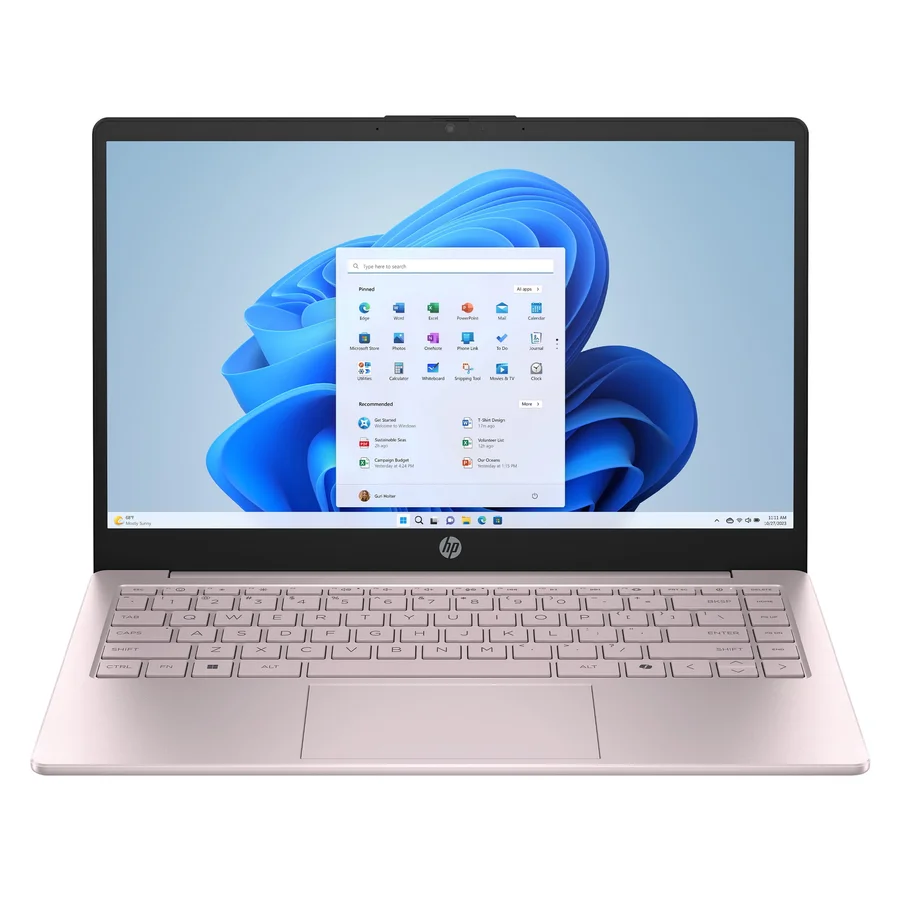
HP 14-ep2111wmRead the comparisonComparison onlybasic Windows use with modest storage needsIntel N150
4GB RAM and 128GB storage
Windows 11

Four gigabytes of memory and 128GB storage leave limited room for heavier multitasking and large local files. Storage-type and display-resolution fields are inconsistent. Confirm the exact panel and storage technology rather than assuming an NVMe SSD.

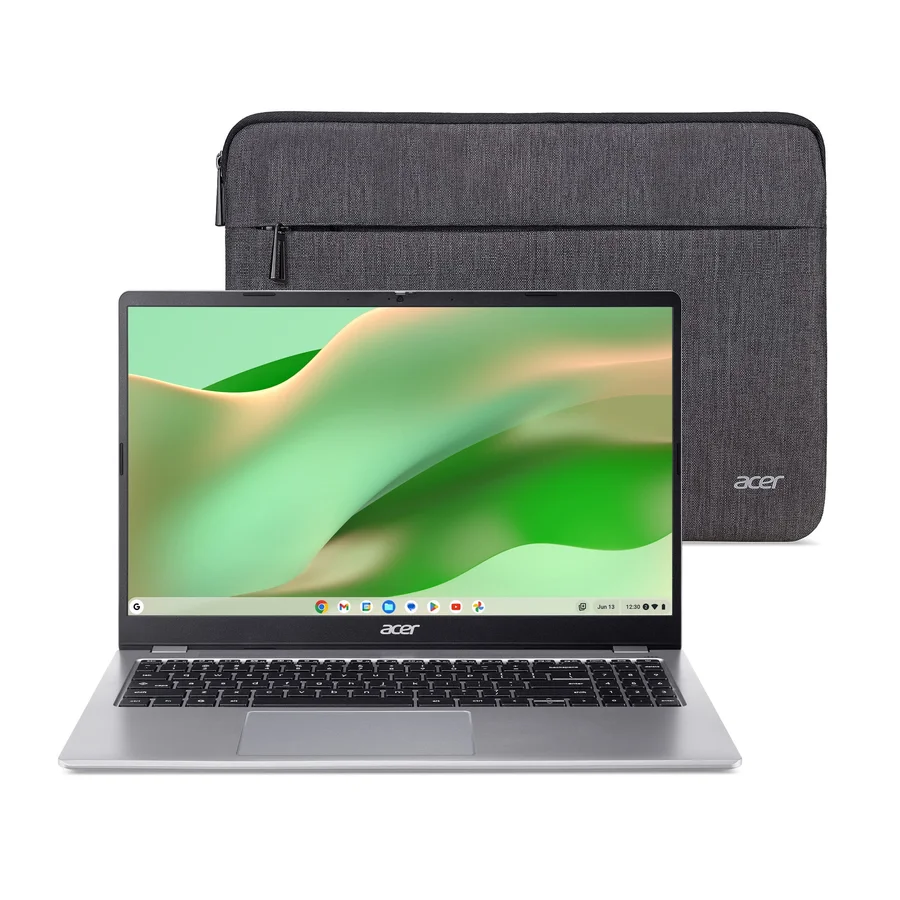
Acer Chromebook 315 CB315-7HT-C7GNRead the comparison8.2 /10Research-baseda larger touchscreen ChromeOS setup15.6-inch Full HD touchscreen
8GB RAM and 128GB storage
ChromeOS

The marketplace brand field incorrectly says unbranded. Confirm the Acer model on the order, included sleeve and warranty terms. ChromeOS is not Windows, and storage-type labels should be checked against the exact configuration.

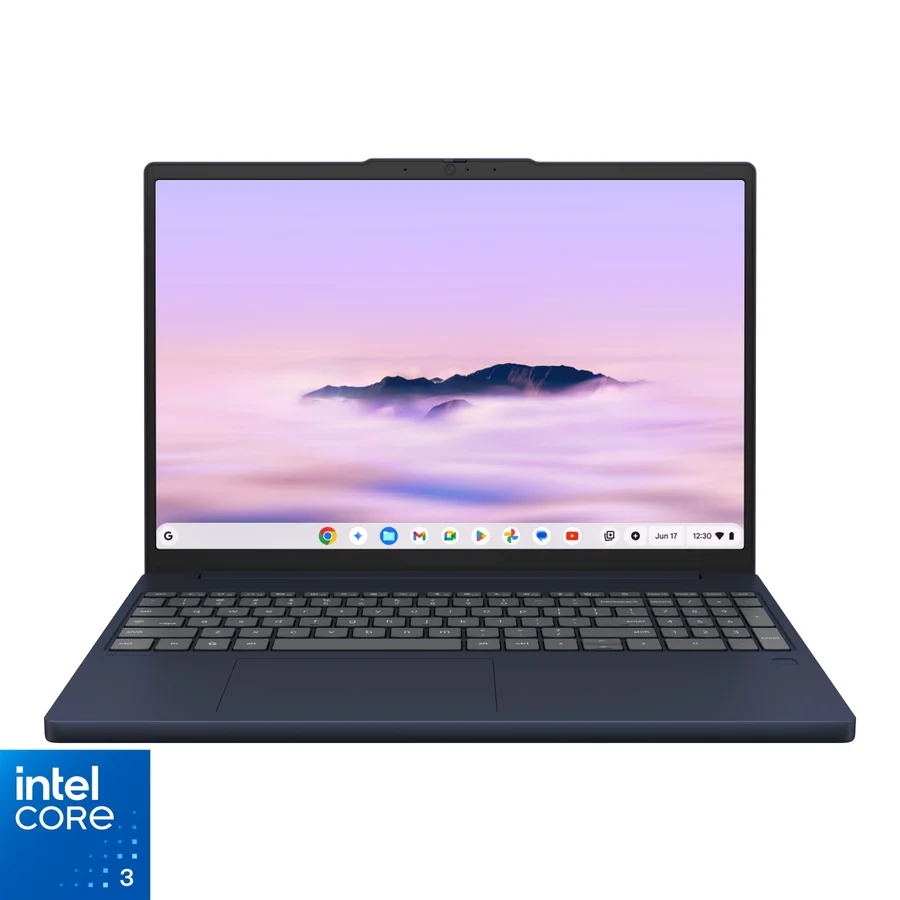
Lenovo Chromebook Plus i 83T1000MUSRead the comparison8.9 /10Research-baseda taller ChromeOS screen and more port options15.3-inch 1920 by 1200 display
Core 3 N355 and 8GB RAM
ChromeOS

The listing identifies a non-touch screen. Check the exact ChromeOS update schedule and app requirements before purchase. Promotional AI features and cloud services may have account or subscription conditions.

Lenovo V14 G5 83HDA06BUSRead the comparison8.8 /10Research-basedWindows work with more local storageCore i7-13620H
16GB RAM and 1TB SSD
Windows 11 Home

An i7 label does not establish gaming performance or quiet operation. We have not benchmarked this configuration. Confirm screen quality, memory expansion and ports against the full model number before purchase.

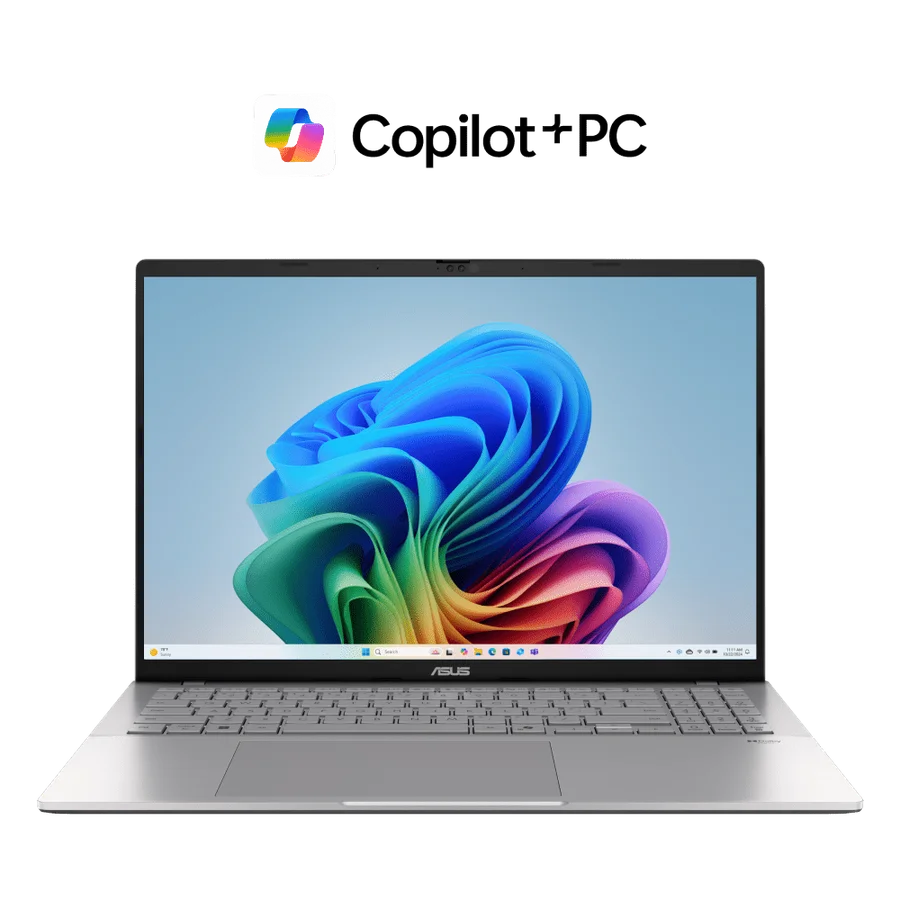
ASUS Vivobook S16 M3607GA-DS79Read the comparison9.1 /10Research-baseda larger Windows workspace and 32GB memoryRyzen AI 7 445 listed
32GB RAM and 1TB SSD
16-inch WUXGA display listed

The 70-hour battery field is not a credible runtime basis and is not used here. AI branding does not prove every AI app runs locally or without a subscription. Integrated Radeon graphics should not be confused with a discrete gaming GPU.

HP 14-ep2111wm

Comparison only · no editorial endorsement

For basic Windows use with modest storage needs

  • Intel N150
  • 4GB RAM and 128GB storage
  • Windows 11

Four gigabytes of memory and 128GB storage leave limited room for heavier multitasking and large local files. Storage-type and display-resolution fields are inconsistent. Confirm the exact panel and storage technology rather than assuming an NVMe SSD.

Read the comparison

Acer Chromebook 315 CB315-7HT-C7GN

EDITORIAL SCORE 8.2 /10

For a larger touchscreen ChromeOS setup

  • 15.6-inch Full HD touchscreen
  • 8GB RAM and 128GB storage
  • ChromeOS

The marketplace brand field incorrectly says unbranded. Confirm the Acer model on the order, included sleeve and warranty terms. ChromeOS is not Windows, and storage-type labels should be checked against the exact configuration.

Read the comparison

Lenovo Chromebook Plus i 83T1000MUS

EDITORIAL SCORE 8.9 /10

For a taller ChromeOS screen and more port options

  • 15.3-inch 1920 by 1200 display
  • Core 3 N355 and 8GB RAM
  • ChromeOS

The listing identifies a non-touch screen. Check the exact ChromeOS update schedule and app requirements before purchase. Promotional AI features and cloud services may have account or subscription conditions.

Read the comparison

Lenovo V14 G5 83HDA06BUS

EDITORIAL SCORE 8.8 /10

For Windows work with more local storage

  • Core i7-13620H
  • 16GB RAM and 1TB SSD
  • Windows 11 Home

An i7 label does not establish gaming performance or quiet operation. We have not benchmarked this configuration. Confirm screen quality, memory expansion and ports against the full model number before purchase.

Read the comparison

ASUS Vivobook S16 M3607GA-DS79

EDITORIAL SCORE 9.1 /10

For a larger Windows workspace and 32GB memory

  • Ryzen AI 7 445 listed
  • 32GB RAM and 1TB SSD
  • 16-inch WUXGA display listed

The 70-hour battery field is not a credible runtime basis and is not used here. AI branding does not prove every AI app runs locally or without a subscription. Integrated Radeon graphics should not be confused with a discrete gaming GPU.

Read the comparison

02 / Find your pick

What matters to you?

Choose a use case to jump to the relevant comparison. This is a navigation aid, not a personalized test result.

Pink HP 14-inch laptop with Windows desktop

HP 14-ep2111wm

A pink 14-inch laptop with Intel N150.

See this comparison ↓

03 / A closer look

The details that make a difference.

Pink HP 14-inch laptop with Windows desktop

01 / For basic Windows use with modest storage needs

HP 14-ep2111wm

A pink 14-inch laptop with Intel N150.

The offer lists 4GB RAM, 128GB storage and Windows 11. It includes a camera privacy shutter, microphone mute key and Wi-Fi 6. The advertised Microsoft 365 Personal period requires activation.

  • Intel N150
  • 4GB RAM and 128GB storage
  • Windows 11
Before you choose

Four gigabytes of memory and 128GB storage leave limited room for heavier multitasking and large local files. Storage-type and display-resolution fields are inconsistent. Confirm the exact panel and storage technology rather than assuming an NVMe SSD.

Comparison only · no endorsed purchase pick

Opens the linked product page. Confirm the exact model and any current purchase terms.

Silver Acer Chromebook with a gray sleeve
EDITORIAL SCORE
8.2/10
Research-based assessment

A 15.6-inch Chromebook offer with 8GB memory. Score reflects listed strengths and trade-offs, not hands-on tests.

02 / For a larger touchscreen ChromeOS setup

Acer Chromebook 315 CB315-7HT-C7GN

A 15.6-inch Chromebook offer with 8GB memory.

The listing identifies an Intel N50 processor, a 1920 by 1080 touchscreen and 128GB storage. Acer has an exact-model specification page for CB315-7HT-C7GN. Compare it for browser-based work and compatible ChromeOS applications.

  • 15.6-inch Full HD touchscreen
  • 8GB RAM and 128GB storage
  • ChromeOS
Before you choose

The marketplace brand field incorrectly says unbranded. Confirm the Acer model on the order, included sleeve and warranty terms. ChromeOS is not Windows, and storage-type labels should be checked against the exact configuration.

Check price at Walmart

Opens the linked product page. Confirm the exact model and any current purchase terms.

How we reached this verdictStrengths, caveats and our editorial score calculation8.2 /10

Research-based editorial assessment

Review verdict

Acer Chromebook 315 CB315-7HT-C7GN. A 15.6-inch Chromebook offer with 8GB memory. The listing identifies an Intel N50 processor, a 1920 by 1080 touchscreen and 128GB storage. Acer has an exact-model specification page for CB315-7HT-C7GN. Compare it for browser-based work and compatible ChromeOS applications.

What to keep in mind
  • The marketplace brand field incorrectly says unbranded.
  • Confirm the Acer model on the order, included sleeve and warranty terms.
  • ChromeOS is not Windows, and storage-type labels should be checked against the exact configuration.

Where it fits best

For a larger touchscreen ChromeOS setup

The listing identifies an Intel N50 processor, a 1920 by 1080 touchscreen and 128GB storage. Acer has an exact-model specification page for CB315-7HT-C7GN. Compare it for browser-based work and compatible ChromeOS applications.

Before you buy

The marketplace brand field incorrectly says unbranded. Confirm the Acer model on the order, included sleeve and warranty terms. ChromeOS is not Windows, and storage-type labels should be checked against the exact configuration.

Who should buy it?

Consider this product when your priority matches for a larger touchscreen chromeos setup and its listed features fit your setup. Compare the other options above and check the precise model, included accessories and retailer terms before ordering.

How we calculated 8.2/10

We weighted five criteria relevant to this guide. The values are editorial judgements based on the product descriptions, documented specifications and limitations. They are not independent performance measurements, laboratory test scores or customer ratings.

Hardware and connectivity8.6 × 30%
Workload suitability8.4 × 25%
Desk and setup practicality8.3 × 20%
Compatibility and upgrade limits7.8 × 15%
Configuration clarity7.0 × 10%

Weighted editorial score: 8.2 / 10Listing research checked 3 November 2026

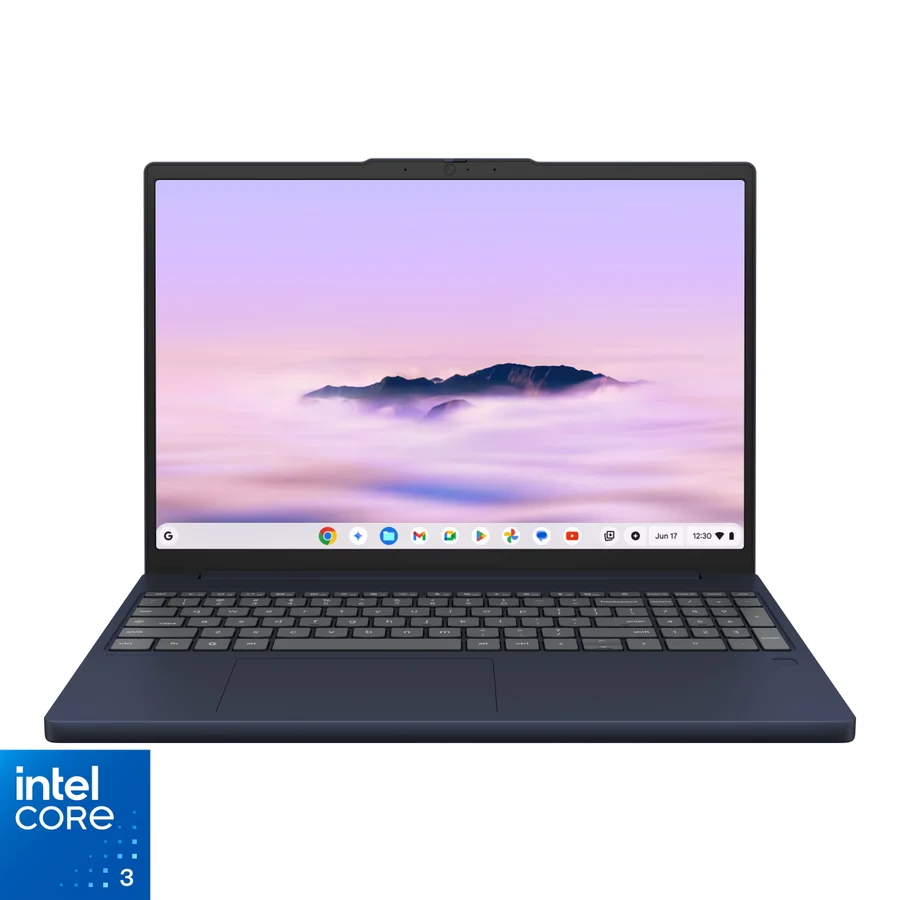
Blue Lenovo Chromebook Plus with a pale landscape screen
EDITORIAL SCORE
8.9/10
Research-based assessment

A 15.3-inch non-touch Chromebook. Score reflects listed strengths and trade-offs, not hands-on tests.

03 / For a taller ChromeOS screen and more port options

Lenovo Chromebook Plus i 83T1000MUS

A 15.3-inch non-touch Chromebook.

The offer lists an Intel Core 3 N355, 8GB RAM and 128GB storage. Its 1920 by 1200 screen uses a 16:10 shape. Dual USB-C, dual USB-A and HDMI are described for external devices.

  • 15.3-inch 1920 by 1200 display
  • Core 3 N355 and 8GB RAM
  • ChromeOS
Before you choose

The listing identifies a non-touch screen. Check the exact ChromeOS update schedule and app requirements before purchase. Promotional AI features and cloud services may have account or subscription conditions.

Check price at Walmart

Opens the linked product page. Confirm the exact model and any current purchase terms.

How we reached this verdictStrengths, caveats and our editorial score calculation8.9 /10

Research-based editorial assessment

Review verdict

Lenovo Chromebook Plus i 83T1000MUS. A 15.3-inch non-touch Chromebook. The offer lists an Intel Core 3 N355, 8GB RAM and 128GB storage. Its 1920 by 1200 screen uses a 16:10 shape. Dual USB-C, dual USB-A and HDMI are described for external devices.

What to keep in mind
  • The listing identifies a non-touch screen.
  • Check the exact ChromeOS update schedule and app requirements before purchase.
  • Promotional AI features and cloud services may have account or subscription conditions.

Where it fits best

For a taller ChromeOS screen and more port options

The offer lists an Intel Core 3 N355, 8GB RAM and 128GB storage. Its 1920 by 1200 screen uses a 16:10 shape. Dual USB-C, dual USB-A and HDMI are described for external devices.

Before you buy

The listing identifies a non-touch screen. Check the exact ChromeOS update schedule and app requirements before purchase. Promotional AI features and cloud services may have account or subscription conditions.

Who should buy it?

Consider this product when your priority matches for a taller chromeos screen and more port options and its listed features fit your setup. Compare the other options above and check the precise model, included accessories and retailer terms before ordering.

How we calculated 8.9/10

We weighted five criteria relevant to this guide. The values are editorial judgements based on the product descriptions, documented specifications and limitations. They are not independent performance measurements, laboratory test scores or customer ratings.

Hardware and connectivity9.3 × 30%
Workload suitability9.1 × 25%
Desk and setup practicality9.0 × 20%
Compatibility and upgrade limits8.6 × 15%
Configuration clarity7.6 × 10%

Weighted editorial score: 8.9 / 10Listing research checked 3 November 2026

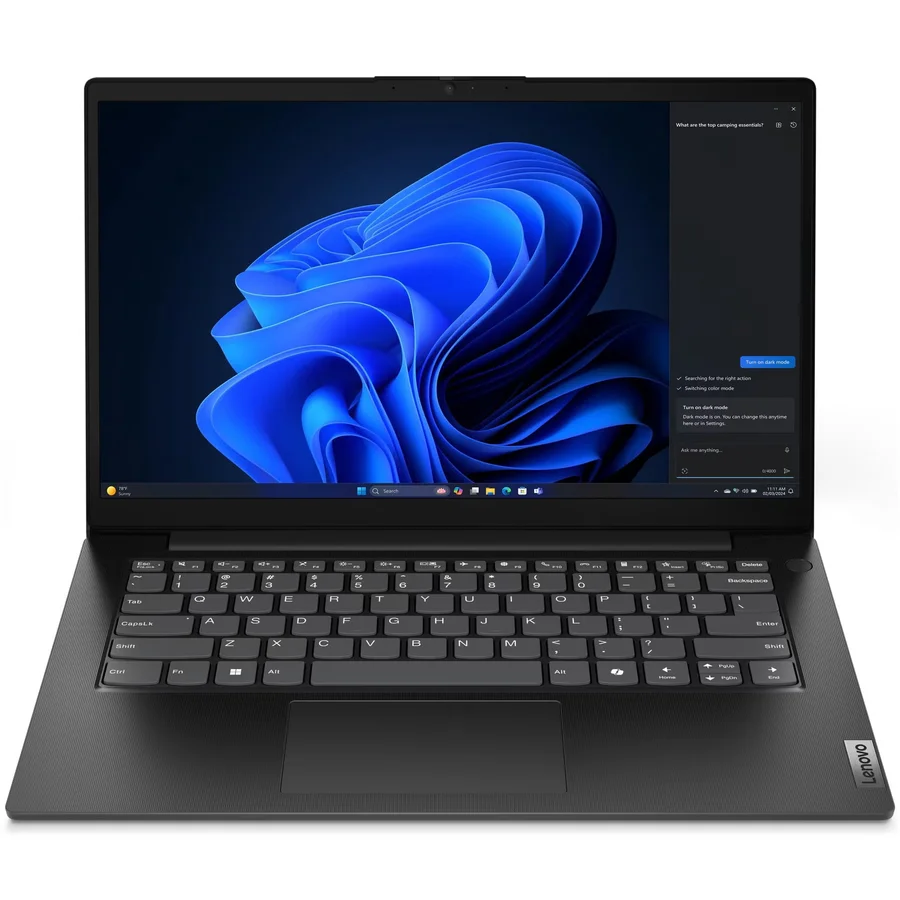
Black Lenovo V14 laptop displaying Windows 11
EDITORIAL SCORE
8.8/10
Research-based assessment

A 14-inch Full HD configuration. Score reflects listed strengths and trade-offs, not hands-on tests.

04 / For Windows work with more local storage

Lenovo V14 G5 83HDA06BUS

A 14-inch Full HD configuration.

The offer specifies Core i7-13620H, 16GB DDR5 memory and a 1TB PCIe SSD with Windows 11 Home. It lists Intel UHD integrated graphics, HDMI and wired Ethernet. This provides a different local-software setup from the Chromebooks.

  • Core i7-13620H
  • 16GB RAM and 1TB SSD
  • Windows 11 Home
Before you choose

An i7 label does not establish gaming performance or quiet operation. We have not benchmarked this configuration. Confirm screen quality, memory expansion and ports against the full model number before purchase.

Check price at Walmart

Opens the linked product page. Confirm the exact model and any current purchase terms.

How we reached this verdictStrengths, caveats and our editorial score calculation8.8 /10

Research-based editorial assessment

Review verdict

Lenovo V14 G5 83HDA06BUS. A 14-inch Full HD configuration. The offer specifies Core i7-13620H, 16GB DDR5 memory and a 1TB PCIe SSD with Windows 11 Home. It lists Intel UHD integrated graphics, HDMI and wired Ethernet. This provides a different local-software setup from the Chromebooks.

What to keep in mind
  • An i7 label does not establish gaming performance or quiet operation.
  • We have not benchmarked this configuration.
  • Confirm screen quality, memory expansion and ports against the full model number before purchase.

Where it fits best

For Windows work with more local storage

The offer specifies Core i7-13620H, 16GB DDR5 memory and a 1TB PCIe SSD with Windows 11 Home. It lists Intel UHD integrated graphics, HDMI and wired Ethernet. This provides a different local-software setup from the Chromebooks.

Before you buy

An i7 label does not establish gaming performance or quiet operation. We have not benchmarked this configuration. Confirm screen quality, memory expansion and ports against the full model number before purchase.

Who should buy it?

Consider this product when your priority matches for windows work with more local storage and its listed features fit your setup. Compare the other options above and check the precise model, included accessories and retailer terms before ordering.

How we calculated 8.8/10

We weighted five criteria relevant to this guide. The values are editorial judgements based on the product descriptions, documented specifications and limitations. They are not independent performance measurements, laboratory test scores or customer ratings.

Hardware and connectivity9.2 × 30%
Workload suitability9.0 × 25%
Desk and setup practicality8.9 × 20%
Compatibility and upgrade limits8.4 × 15%
Configuration clarity7.6 × 10%

Weighted editorial score: 8.8 / 10Listing research checked 3 November 2026

Silver ASUS Vivobook S16 with Windows screen
EDITORIAL SCORE
9.1/10
Research-based assessment

A 16-inch Ryzen AI configuration offered by ASUS. Score reflects listed strengths and trade-offs, not hands-on tests.

05 / For a larger Windows workspace and 32GB memory

ASUS Vivobook S16 M3607GA-DS79

A 16-inch Ryzen AI configuration offered by ASUS.

The listing specifies Ryzen AI 7 445, 32GB memory and a 1TB SSD. It describes a WUXGA OLED screen, an infrared camera for Windows Hello and a USB-C power adapter. Confirm the full DS79 configuration rather than using another M3607 variant's specifications.

  • Ryzen AI 7 445 listed
  • 32GB RAM and 1TB SSD
  • 16-inch WUXGA display listed
Before you choose

The 70-hour battery field is not a credible runtime basis and is not used here. AI branding does not prove every AI app runs locally or without a subscription. Integrated Radeon graphics should not be confused with a discrete gaming GPU.

Check price at Walmart

Opens the linked product page. Confirm the exact model and any current purchase terms.

How we reached this verdictStrengths, caveats and our editorial score calculation9.1 /10

Research-based editorial assessment

Review verdict

ASUS Vivobook S16 M3607GA-DS79. A 16-inch Ryzen AI configuration offered by ASUS. The listing specifies Ryzen AI 7 445, 32GB memory and a 1TB SSD. It describes a WUXGA OLED screen, an infrared camera for Windows Hello and a USB-C power adapter. Confirm the full DS79 configuration rather than using another M3607 variant's specifications.

What to keep in mind
  • The 70-hour battery field is not a credible runtime basis and is not used here.
  • AI branding does not prove every AI app runs locally or without a subscription.
  • Integrated Radeon graphics should not be confused with a discrete gaming GPU.

Where it fits best

For a larger Windows workspace and 32GB memory

The listing specifies Ryzen AI 7 445, 32GB memory and a 1TB SSD. It describes a WUXGA OLED screen, an infrared camera for Windows Hello and a USB-C power adapter. Confirm the full DS79 configuration rather than using another M3607 variant's specifications.

Before you buy

The 70-hour battery field is not a credible runtime basis and is not used here. AI branding does not prove every AI app runs locally or without a subscription. Integrated Radeon graphics should not be confused with a discrete gaming GPU.

Who should buy it?

Consider this product when your priority matches for a larger windows workspace and 32gb memory and its listed features fit your setup. Compare the other options above and check the precise model, included accessories and retailer terms before ordering.

How we calculated 9.1/10

We weighted five criteria relevant to this guide. The values are editorial judgements based on the product descriptions, documented specifications and limitations. They are not independent performance measurements, laboratory test scores or customer ratings.

Hardware and connectivity9.5 × 30%
Workload suitability9.3 × 25%
Desk and setup practicality9.2 × 20%
Compatibility and upgrade limits8.7 × 15%
Configuration clarity8.0 × 10%

Weighted editorial score: 9.1 / 10Listing research checked 3 November 2026

04 / Buying advice

Check the details that matter.

Make an app checklist

Confirm required work, school and personal applications on the chosen operating system. Check offline access, specialist software and peripheral drivers. Browser access to a service may differ from its desktop application.

Leave room for your files

Separate working memory from storage. RAM affects how applications share active workspace, while storage holds files and installations. Cloud storage can help with capacity but adds connection and account considerations.

Compare the exact configuration

A family name can cover different screens, processors and memory layouts. Match the full model code, keyboard layout and warranty region. Battery-life claims are test-condition estimates, not a promise for your daily workload.

How this comparison was put together

We reviewed the exact retailer and manufacturer pages, product identities and supplied photographs on November 3, 2026. The selections compare laptops by use case and practical tradeoffs. Specifications are attributed listing information unless a manufacturer source is identified. We have not conducted hands-on testing. Where shown, editorial scores are subjective, research-based assessments of listed features, suitability and limitations. unconfirmed performance, certification and medical claims are not treated as established results.

06 / FAQs

A few things worth knowing.

Can a Chromebook run every Windows program?

No. Check whether the software has a supported browser or ChromeOS version. A Windows executable is not automatically compatible. If a particular desktop application is essential, verify its requirements before choosing the operating system.

How do I check Chromebook update support?

Google's update-schedule instructions point to Settings, About ChromeOS and Additional details. Check the exact model's schedule before purchase. The purchase date alone does not establish how much update support remains.

Is 4GB RAM the same thing as 128GB storage?

No. RAM is active working memory. Storage holds the operating system, applications and saved files. The basic HP offer has 4GB RAM and 128GB storage, which should be assessed separately against your workload.

Are these dedicated gaming laptops?

The listed configurations use integrated graphics. This guide does not establish performance for demanding games. Check the game's requirements and independent testing of the exact hardware rather than relying on the processor family name.

Does the ASUS listing establish seventy hours of battery use?

No. The retailer field is not treated as a verified runtime. Battery capacity, software and workload affect battery life. Check the exact model documentation and test conditions if unplugged operation is a deciding factor.

Does an included Microsoft 365 year mean permanent access?

No. The HP offer describes a limited subscription period requiring activation. Review eligibility, renewal and payment terms. A promotional subscription is separate from a permanent license for desktop applications.

Make the choice fit your day.

Choose the operating system and working capacity first, then verify the exact screen, connections and support terms.

Back to the shortlist ↑